




Is Brave Browser Safe? A Complete Guide to Security and Privacy


In an era where online privacy and data security are top concerns for users worldwide, the choice of web browser matters more than ever. With major browsers like Chrome, Firefox, and Safari dominating the market, Brave Browser has emerged as a privacy-focused alternative. But is it really safe? Does it protect your data better than mainstream browsers? Most importantly, does Brave sell your data like some other platforms are accused of doing?
In this comprehensive guide, we’ll explore what Brave Browser is, its security and privacy features, and answer common questions users have about its safety and trustworthiness.
Table of Contents
What is Brave Browser?
Brave Browser is a free, open-source web browser developed by Brave Software Inc. It launched in 2016 with a mission to give users a faster and more private browsing experience by blocking ads and trackers by default. Unlike many traditional browsers, Brave prioritizes user privacy as part of its core design, rather than as an optional add-on.
Key features of Brave include:
- Built-in ad and tracker blocking
- HTTPS Everywhere integration
- Privacy-focused design
- Brave Rewards and the BAT system
How does Brave browser work?
Brave Browser works a bit differently from traditional browsers like Chrome or Edge because it’s built from the ground up around privacy, speed, and user control.
- At its core, Brave is built on Chromium, the same open-source engine used by Chrome, so websites load and behave the same way. The big difference is what Brave blocks by default.
- As soon as you open a page, Brave automatically blocks intrusive ads, third-party trackers, cross-site cookies, and fingerprinting scripts.
- This reduces the amount of data websites can collect about you and also makes pages load faster because fewer elements are being downloaded.
- Brave uses a feature called Brave Shields to manage privacy protection. Shields work at the browser level, not as an extension, which makes them more efficient.
- They stop trackers from following you across websites, upgrade connections to HTTPS when available for better security, and block malicious scripts.
- You can adjust Shields per website if something breaks or if you want to allow certain content.
Brave Browser Security Framework
Brave’s security framework is designed to reduce risks associated with online tracking, malware, and data exposure.
Built-In Shields
These shields work out of the box, so users don’t need to install additional extensions to stay protected. Brave includes “Shields”, an integrated suite of protections that automatically block:
- Third-party trackers
- Unwanted ads
- Fingerprinters
- HTTPS downgrade attacks
HTTPS Everywhere
Brave automatically upgrades connections to HTTPS when available, which means your data is encrypted and more secure from snooping.
Script Blocking
Users can block scripts altogether, reducing the chance of malicious code executing without permission.
Brave Browser Privacy
Privacy is the cornerstone of Brave’s value proposition.
No Tracking
Brave does not store or sell your browsing history, search details, or personal data to advertisers or third parties. It also limits fingerprinting attempts, techniques used to identify users across sessions without cookies.
Brave Rewards and Ads
Brave offers an opt-in ad system that lets users choose to see privacy-respecting ads and earn Basic Attention Tokens (BAT) as rewards. Because Brave’s ad model is opt-in, user data remains private unless the user consents to participate. This system is designed so:
- Ads do not track personal information
- Users keep the tokens they earn
- Brave doesn’t share personal data with advertisers
Does Brave Sell Your Data?
One of the biggest concerns for browser users today is whether companies sell user data. Brave does NOT sell your personal data. This model contrasts with browsers like Chrome and Edge, which are tied to advertising ecosystems that may use user data for targeted advertising.
Here’s what keeps Brave safe:
- Data is processed locally on your device
- No server-side collection of browsing behavior
- Opt-in ads don’t require personal identifiers.
- Brave’s revenue model is based on privacy-preserving ads and BAT rewards.
How Safe Is Brave Browser?
Brave Browser is widely regarded as a safe and secure web browser, especially for users who prioritize privacy—built on the Chromium engine, Brave benefits from the same security architecture as Chrome while adding privacy-focused protections. It blocks ads, trackers, and malicious scripts by default, reducing exposure to many common online threats such as tracking, intrusive advertising, and malware delivered through ad networks.
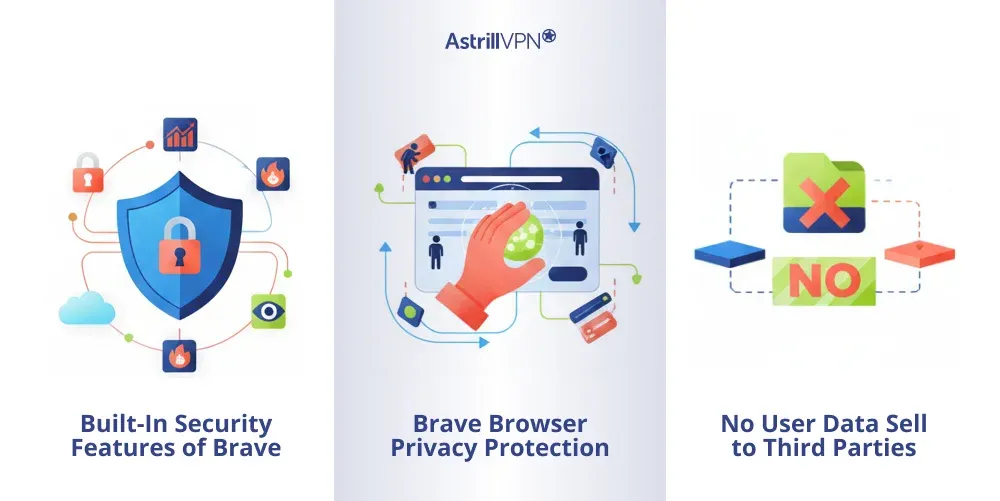
Built-In Security Features of Brave
Brave comes with built-in security mechanisms called Brave Shields that automatically block third-party trackers, cross-site cookies, and fingerprinting attempts. These protections limit how much data websites can collect about users and reduce the risk of malicious scripts running in the background. Brave also enforces HTTPS connections whenever possible, ensuring that data transmitted between the browser and websites remains encrypted and protected from interception.
Brave Browser Privacy Protection
Privacy is a core strength of Brave Browser. Unlike many mainstream browsers, Brave does not track browsing activity or store user data on its servers. All browsing data remains on the user’s device, and Brave’s default settings prevent advertisers from following users across websites. This privacy-first approach significantly reduces the risk of personal data misuse or exploitation.
Does Brave Sell User Data?
Brave does not sell user data to advertisers or third parties. Its business model is designed to function without harvesting personal information. Even its optional advertising system, Brave Rewards, operates on an opt-in basis and matches ads locally on the user’s device rather than using centralized tracking. This ensures that personal browsing habits remain private while still allowing users to earn rewards if they choose.
Key Stats and data points on the Brave browser
Here are some of the key statistics and data points on Brave Browser showing its growth, usage, and market presence in 2026:
- Brave has surpassed 100 million monthly active users (MAU) worldwide across desktop and mobile as of September 2025, reaching roughly 101 million MAU. This marks a significant growth milestone for the privacy-focused browser.
- It also reports around 42 million daily active users (DAU), indicating strong user engagement with the platform.
- Over the past two years, Brave has averaged about 2.5 million new users per month, showing steady adoption growth.
- Brave Search handles about 1.6 billion queries per month, roughly 20 billion per year.
- Brave’s global browser market share is relatively small compared to giants like Chrome and Safari, but it’s growing, with estimates around 1 – 1.5 % of the overall browser market in 2026.
- All-time mobile downloads for the Brave app have exceeded 100 million, reflecting broad interest in privacy-centric browsing.
How Brave Compares to Other Browsers in Safety?
When compared to browsers like Chrome, Brave offers stronger default privacy and tracking protections. Chrome collects more usage data as part of Google’s advertising ecosystem, whereas Brave minimizes data collection from the start. Firefox also focuses on privacy, but Brave’s aggressive default blocking makes it particularly safe for users who want protection without extensive customization.
Data Privacy and User Tracking in Brave Browser
Brave Browser takes a privacy-first approach to data handling and user tracking, setting it apart from many mainstream browsers that collect data as part of their core business models. At its core, Brave is designed to minimize the amount of personal information shared with websites, advertisers, and third parties, thereby giving users greater control over their online footprint.
How Brave Handles Data Privacy?
Unlike browsers that send browsing data back to corporate servers, Brave processes most data locally on your device. This means that your search history, visited websites, and browsing behavior are not stored in a central database or used to build advertising profiles. Brave’s privacy policies are structured so that user data stays private by default unless the user explicitly opts into optional features.
Brave’s privacy protections reduce exposure to standard tracking technologies such as third-party cookies and cross-site trackers. By blocking these automatically, Brave prevents a large portion of advertiser and analytics networks from following users across the web. The result is a browsing experience in which your activities are less visible to external entities, enhancing privacy with minimal user configuration.
User Tracking Protections
Brave includes several built-in protections to counter modern user tracking techniques:
- Tracker Blocking: Brave blocks known third-party trackers that follow users across sites to collect behavior data.
- Fingerprinting Defense: Fingerprinting attempts to identify a user by collecting data such as browser version, screen resolution, and device configuration. Brave applies techniques to make fingerprints less distinctive and more challenging to track.
- Cookie Controls: Third-party cookies, commonly used to track users across websites, are blocked by default, reducing cross-site profiling.
- HTTPS Upgrades: Brave automatically upgrades connections to HTTPS where possible, protecting the privacy of your interactions.
Brave Rewards and Optional Advertising
Brave offers an optional privacy-preserving ad system known as Brave Rewards. Users can choose to view ads displayed locally on the device. This model ensures that even if ads are shown, no personal identifiers or browsing data are shared with advertisers, a key difference from traditional targeted advertising. Importantly:
- These ads do not require sending personal data to external servers.
- Brave matches ads locally based on browsing behavior stored on the device, not through remote tracking.
- Users can earn Basic Attention Tokens (BAT) for opting in, creating a user-centric monetization model.
Can You Still Be Tracked on Brave?
While Brave significantly reduces the ability of third parties to track you across the web, it cannot eliminate tracking in all circumstances:
- If you log in to the same account across multiple sites, those services can still correlate your activity.
- Some websites may use alternative tracking mechanisms that Brave cannot entirely block without user action.
- Your IP address remains visible to visited websites unless you use Brave’s private window with Tor, which obscures your IP through the Tor network.
Can Users Still Be Tracked on Brave?
Although Brave significantly reduces tracking, it cannot eliminate it. Websites can still track users through account logins or visible IP addresses during regular browsing sessions. However, Brave offers a private window with Tor integration, which hides the user’s IP address and adds another layer of anonymity for those who need stronger privacy protection.
Brave Browser Risks and Limitations
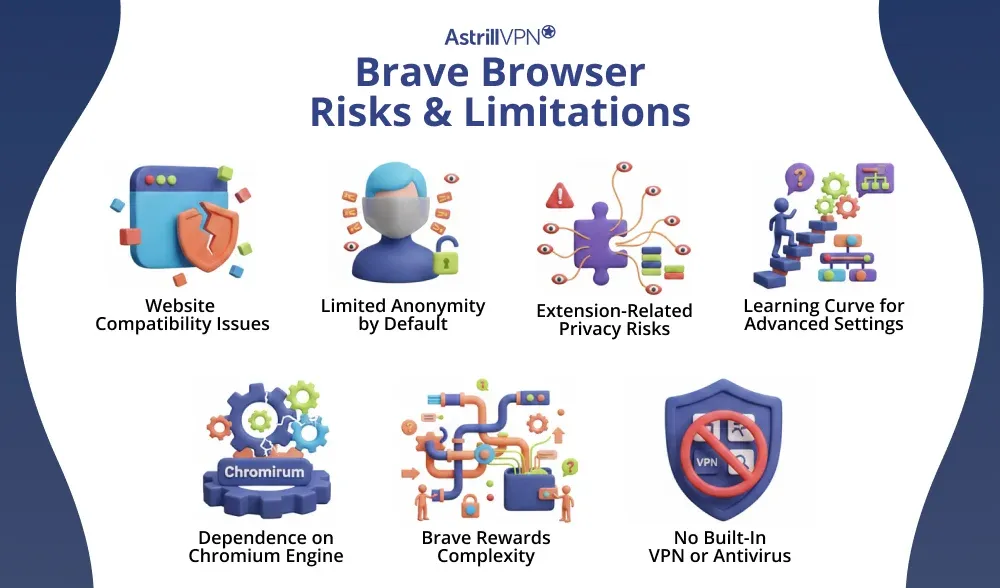
While Brave Browser is widely praised for its strong privacy and security features, it is not without risks and limitations. Like any web browser, Brave has inevitable trade-offs that users should understand before relying on it as their primary browsing tool.
Website Compatibility Issues
One of the most common limitations of Brave is that its aggressive ad, tracker, and script blocking can cause some websites to malfunction. Specific sites rely on third-party scripts, ads, or trackers for essential functionality, such as logins, video playback, or payment processing. As a result, users may need to manually adjust Brave Shields or turn off protections for specific websites to ensure proper performance.
Limited Anonymity by Default
Although Brave significantly reduces tracking, it does not provide complete anonymity during standard browsing sessions. Your IP address remains visible to websites, and services you log into can still track your activity. True anonymity requires additional tools, such as Brave’s private window with Tor or a trusted VPN like AstrillVPN, which are not enabled by default.
Extension-Related Privacy Risks
Brave supports Chrome extensions, which can introduce privacy and security risks if users install untrusted or poorly designed add-ons. Some extensions may collect browsing data, inject ads, or create vulnerabilities that undermine Brave’s built-in protections. Users must be cautious and only install extensions from reputable developers.
Learning Curve for Advanced Settings
Brave offers extensive privacy and security controls, which can be overwhelming for less technical users. Features such as script blocking, fingerprinting protection, and cookie management require some understanding to configure correctly. Incorrect settings may lead to broken websites or reduced usability.
Dependence on Chromium Engine
Brave is built on Chromium, the same engine used by Google Chrome. While Chromium is secure and well-maintained, it also means Brave is indirectly affected by design decisions made by the Chromium project. Some users view this dependence as a limitation, especially those seeking alternatives not tied to Google-led ecosystems.
Brave Rewards Complexity
Brave Rewards, while optional, can be confusing for users unfamiliar with cryptocurrency systems. Managing Basic Attention Tokens (BAT), wallets, and regional availability may not appeal to users who prefer a simple browsing experience without additional features.
No Built-In VPN or Antivirus
Brave does not include a built-in VPN or antivirus protection as part of its standard offering. While it blocks many malicious ads and trackers, it cannot replace dedicated security software. Users still need external tools for comprehensive protection against malware, phishing, and network-level threats.
FAQs
Here are some of the most frequently asked questions.
Brave is generally considered more privacy-focused and secure out of the box than Chrome, which is tied to Google’s advertising ecosystem. Chrome collects more usage data for personalization and analytics, while Brave blocks trackers and ads by default.
Yes. Brave is open-source, regularly audited, and explicitly built with privacy in mind. Its development team prioritizes transparency and security.
Brave significantly reduces tracking by blocking third-party trackers and cookies. However, tracking can still occur through other external systems, such as websites that require logins, unless additional protection is enabled.
Brave’s regular private browsing mode does not automatically hide your IP address. However, if you use Brave’s private window with Tor, your IP is obscured via the Tor network.
Conclusion
Brave Browser stands out as a secure, privacy-focused alternative to mainstream browsers like Chrome, Firefox, and Edge. With default ad and tracker blocking, built-in privacy protections, and an innovative approach to user consent and rewards, Brave offers strong defenses against many of the threats modern internet users face. Whether you’re concerned about tracking, targeted ads, or data collection, Brave delivers a safer browsing experience without sacrificing speed or usability.

Secure your privacy instantly. Try AstrillVPN with zero risk.
About The Author










No comments were posted yet