




Can Someone Hack My WhatsApp? How to Secure it from hackers

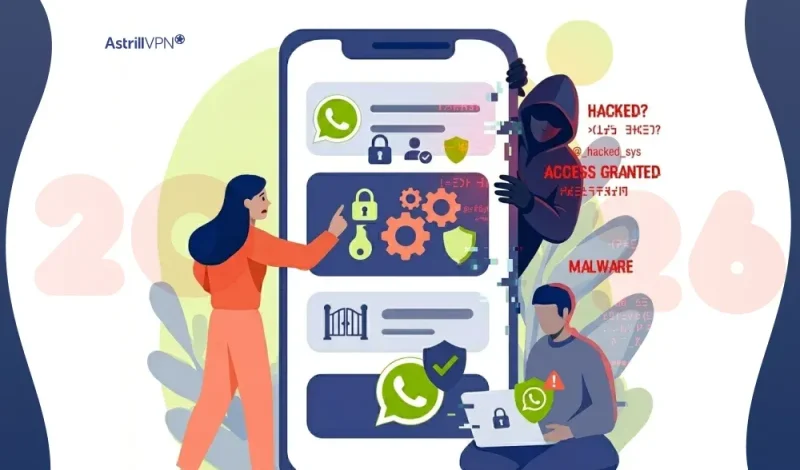
With over 2+ billion users worldwide, WhatsApp is one of the most popular messaging apps, but that also makes it a major target for cybercriminals. While WhatsApp uses strong end-to-end encryption, hacking incidents are still rising due to scams, social engineering, and user mistakes rather than technical flaws.
So, can someone hack your WhatsApp? The short answer is yes, but not in the way most people think. In this guide, you’ll learn how WhatsApp hacking actually works, how to spot it, and how to protect your account.
Table of Contents
Can Someone Hack My WhatsApp?
Yes, someone can gain access to your WhatsApp account, but it usually happens through account takeover methods, not by breaking WhatsApp’s encryption.
Hackers typically:
- Trick you into sharing your verification (OTP) code
- Take control of your phone number (SIM swap)
- Access your linked devices (WhatsApp Web)
- Install malware on your phone
Can WhatsApp Be Hacked?
Technically, WhatsApp itself is highly secure due to encryption. However, WhatsApp is secure, but your account can still be compromised.
- Rare vulnerabilities do exist (e.g., zero-click exploits or app flaws)
- These attacks are very rare and usually target specific individuals, not regular users
For example:
- A 2025 attack affected fewer than 200 users globally
- Most real-world hacks come from scams and user errors, not system weaknesses
Is WhatsApp Safe From Hackers?
Yes, WhatsApp is generally safe because it uses:
- End-to-end encryption
- Secure authentication systems
- Regular security updates
However, no platform is 100% safe. In fact, Pakistan’s CERT warned of a rise in WhatsApp hacking cases in 2026 due to scams and phishing. While the app is secure, your safety depends on your behavior.
Key WhatsApp Security Stats (2025–2026)
- WhatsApp has 2.9+ billion users globally
- Most hacks are due to social engineering, not encryption failures
- World reported a sharp rise in WhatsApp hacking scams in 2026
- A major vulnerability once exposed data linked to 3.5 billion accounts (metadata, not chats)
How Do Hackers Hack WhatsApp? (Common Methods)
Hackers hack Whatsapp in the following ways.
OTP (Verification Code) Scams
One of the most common ways hackers gain access to WhatsApp accounts is through OTP scams. When you try to log into WhatsApp on a new device, it sends a 6-digit verification code to your phone number. Scammers trick users into sharing this code by pretending to be a friend, company representative, and even WhatsApp support. Once you share the code, the hacker can instantly take over your account and lock you out.
SIM Swap Attacks
In a SIM swap attack, hackers contact your mobile network provider and convince them to transfer your phone number to a new SIM card. Once they control your number, they can receive your WhatsApp verification code and reset your account. This method is more advanced and usually involves social engineering and leaked personal information.
Linked Devices Exploits
Hackers can also access your account through WhatsApp Web or the “Linked Devices” feature. If someone tricks you into scanning a QR code and gains physical access to your phone, they can link your account to their device. After that, they can read your messages and monitor your activity without needing your phone again.
Phishing Links and Fake Messages
Phishing is another major tactic used to hack WhatsApp accounts. Attackers send fake messages containing malicious links that appear to be from trusted sources such as banks, delivery services, and promotions. When you click these links, you may unknowingly provide personal details and install malware that compromises your device and account.
Impersonation and Social Engineering
Hackers often pretend to be someone you trust like a friend, family member, or colleague. They may claim they accidentally sent a verification code to your number and ask you to share it. This psychological manipulation plays on trust and urgency, making users more likely to fall for the scam.
Malware and Spy Apps
Installing apps from untrusted sources can expose your phone to malware or spyware. These malicious programs can track your activity, steal login credentials, and even access your WhatsApp messages. Once your device is compromised, hackers can gain deeper control over your account.
Public Wi-Fi Attacks
Using unsecured public Wi-Fi networks can make your data vulnerable. Hackers on the same network may intercept your data and attempt man-in-the-middle attacks to capture sensitive information. While WhatsApp encryption offers protection, combining public Wi-Fi with other vulnerabilities can increase your risk.
Data Leaks and Credential Exposure
Sometimes hackers don’t target you directly. Instead, they use leaked personal data from other platforms to attempt account takeovers. If your phone number and related credentials are exposed in a data breach, attackers can use that information to try and access your WhatsApp account.
How to Know If Your WhatsApp Is Hacked?
If your WhatsApp account has been compromised, there are usually clear warning signs. Hackers often leave traces when they take over and misuse your account. Here’s what to watch for:
You’re Suddenly Logged Out of Your Account
One of the biggest red flags is being logged out of WhatsApp without any action from your side. This usually happens when someone else registers your number on another device using the verification code, which automatically logs you out.
Messages You Didn’t Send
If your contacts tell you they received strange and spam messages from you, it’s a strong indication your account is being controlled by someone else. Hackers often use compromised accounts to scam others.
Unknown Devices Linked to Your Account
Check the “Linked Devices” section in WhatsApp. If you see devices and browsers you don’t recognize, someone may have gained access through WhatsApp Web and is monitoring your chats.
Unrecognized Chats or Contacts
You may notice new chats, groups, and contacts that you never created. This can happen when a hacker starts using your account for scams or communication.
Changes to Your Account Information
If your profile picture, status, and account details are changed without your knowledge, it’s a clear sign someone else has access to your account.
Receiving Unexpected Verification Codes
If you get a WhatsApp verification (OTP) code without trying to log in, it means someone is attempting to access your account. This is often the first step in a hacking attempt.
Friends Report Suspicious Requests
Hackers often impersonate you to ask your contacts for money and sensitive information. If friends or family mention unusual requests coming from your account, take it seriously.
Unusual App Behavior
Your WhatsApp may start behaving strangely like frequent crashes, delays, and messages being read automatically. While not always a sign of hacking, it can indicate unauthorized access or malware.
How to Secure WhatsApp From Hackers?
Protecting your WhatsApp account doesn’t require advanced technical skills, just a few smart security habits can significantly reduce your risk. Here’s how to keep your account safe from hackers:
Enable Two-Step Verification
This is one of the most effective security features on WhatsApp. Two-step verification adds a 6-digit PIN that is required whenever your number is registered on a new device. Even if someone gets your OTP code, they won’t be able to access your account without this PIN.
Never Share Your Verification Code (OTP)
Your WhatsApp verification code is the key to your account. Scammers often try to trick you into sharing it by pretending to be someone you trust. Remember, WhatsApp will never ask for your code, and you should never share it with anyone.
Check and Manage Linked Devices Regularly
Go to the “Linked Devices” section in WhatsApp and review all active sessions. If you see any unknown devices, log them out immediately. This helps prevent unauthorized access through WhatsApp Web.
Avoid Clicking Suspicious Links
Be cautious of messages that contain unknown and shortened links, especially if they promise prizes, urgent alerts, and financial offers. These links may lead to phishing sites designed to steal your information and install malware.
Use a Strong Phone Lock
Secure your phone with a PIN, password, fingerprint, and Face ID. If someone gains physical access to your device, they can easily link your WhatsApp account to another device and access your chats.
Turn On App Lock for WhatsApp
WhatsApp offers a built-in app lock feature using fingerprint and Face ID. Enabling this adds an extra layer of protection, especially if someone else uses your phone.
Keep Your App Updated
Always use the latest version of WhatsApp. Updates often include security patches that fix vulnerabilities hackers might exploit. Ignoring updates can leave your account exposed.
Install Apps Only from Trusted Sources
Avoid downloading apps from unknown websites or third-party stores. Malicious apps can contain spyware that tracks your activity and steals sensitive data, including access to your WhatsApp account.
Be Careful with Public Wi-Fi
Public Wi-Fi networks can be risky. Avoid accessing sensitive apps like WhatsApp on unsecured networks, and use a trusted AstrillVPN service for added protection.
Secure Your SIM Card
Contact your mobile provider to enable SIM protection features such as a PIN or lock. This helps prevent SIM swap attacks, where hackers transfer your number to another SIM card.
What to Do If Your WhatsApp Is Hacked?
If your WhatsApp account gets hacked, speed matters. The faster you act, the higher your chances of recovering your account and limiting damage. Here’s exactly what you should do:
Log Back Into Your Account Immediately
Open WhatsApp and enter your phone number to log in again. You’ll receive a 6-digit verification (OTP) code via SMS. Once you enter it, the hacker will automatically be logged out of your account.
Enable Two-Step Verification
After regaining access, go to settings and turn on two-step verification. Set a secure 6-digit PIN and add an email address for recovery. This prevents hackers from re-entering your account.
Log Out of All Linked Devices
Check the “Linked Devices” section and remove any unknown and suspicious devices. Hackers often stay connected through WhatsApp Web even after you regain access.
Inform Your Contacts
Send a message or status update warning your contacts that your account was hacked. This helps prevent them from falling for scams and fake requests sent from your account.
Contact WhatsApp Support
If you can’t log in, email WhatsApp support at support@whatsapp.com. Include your phone number in international format and explain that your account has been compromised. They may temporarily deactivate your account during recovery.
Secure Your SIM Card
Contact your mobile network provider immediately to ensure no SIM swap has occurred. Ask them to block and secure your number with a PIN to prevent further unauthorized access.
Scan Your Phone for Malware
If you suspect your phone was compromised, run a security scan using a trusted antivirus app. Remove any suspicious apps that could be spying on your activity.
Reinstall WhatsApp (If Needed)
Uninstall and reinstall WhatsApp to ensure a clean setup. Then log in again and restore your chat backup if available.
Watch for Further Suspicious Activity
Keep monitoring your account for unusual behavior even after recovery. Hackers may attempt to regain access using the same method.
How to Report a Hacked WhatsApp Account?
If your WhatsApp account has been hacked and you can’t fully recover it, reporting the issue to WhatsApp is essential. This helps secure your account and prevent further misuse. Here’s how to do it:
Report via Email to WhatsApp Support
The most direct way to report a hacked account is by emailing WhatsApp support. Send your complaint to support@whatsapp.com and clearly explain the situation. Include your phone number in international format and mention that your account has been compromised. WhatsApp may temporarily deactivate your account to protect it.
Use the In-App Support Option
If you still have partial access to your account, go to:
- Settings
- Help
- Contact Us
Describe your issue in detail and submit the report. This method allows WhatsApp to review your account activity more quickly.
Request Account Deactivation
If you’ve completely lost access, ask WhatsApp to deactivate your account in your email. Once deactivated, no one can use your account until you recover it. This is an important step to stop hackers from scamming your contacts.
Provide Accurate Details
When reporting, include:
- Your phone number (with country code)
- Description of what happened
- Approximate time you lost access
- Any suspicious activity you noticed
Providing clear details helps speed up the investigation.
Verify Your Identity During Recovery
WhatsApp may ask you to verify your identity by sending a new OTP code to your number. Follow their instructions carefully to regain control of your account.
Warn Your Contacts Separately
Even after reporting, inform your friends and family through other platforms that your WhatsApp was hacked. This prevents them from trusting any suspicious messages sent from your account.
Conclusion
WhatsApp has robust security features, but hackers often exploit human error, urgency, and trust. By taking simple steps, such as enabling two-step verification and being cautious with suspicious messages, you can effectively protect your account. In 2026, staying safe on WhatsApp relies more on smart digital habits than on advanced technology.
FAQs
Here are some of the most frequently asked questions.
Yes, but usually by tricking you into giving access, not by hacking the app itself.
WhatsApp is secure. Most hacks occur due to user mistakes, such as sharing OTPs.
OTP scams, SIM swaps, phishing links, and access to linked devices are the most common ways for hackers to get into WhatsApp.
Hackers request your OTP pretending to be someone you trust. Once you share it, they log into your account.
Yes, if they scan your QR code, they can access your chats remotely.

Secure your privacy instantly. Try AstrillVPN with zero risk.
About The Author










No comments were posted yet