
How to Secure a Website: Complete Website Security Guide

Arsalan Rathore

A cyberattack occurs every 39 seconds, totaling over 2,200 attacks daily. Website owners face constant threats from hackers, and a single breach can cost thousands of dollars, erode customer trust, and significantly impact search rankings.
This guide covers everything you need to protect your website: the vulnerabilities hackers exploit, the most dangerous current threats, and a practical roadmap for securing your site starting today.
Table of Contents
What is Website Security and Why is it Important?
Website security ensures that websites and web applications are protected from unauthorized access and attacks. It’s like a building’s security system, just as you wouldn’t rely on a single lock, website security combines various technologies and best practices to form a strong defense.
Modern website security includes SSL/TLS certificates that encrypt data between your server and visitors’ browsers, web application firewalls that filter malicious traffic before it reaches your server, regular software updates that patch known vulnerabilities, strong authentication systems that restrict access to authorized users, and continuous monitoring that detects suspicious activity in real time. Many website builders like WordPress and Shopify include built-in security features such as SSL certificates and automatic updates. However, relying solely on default security settings of your website builder is not sufficient.
The threat landscape has undergone significant changes, enabling even non-technical individuals to launch complex attacks using automated tools and exploit kits available on the dark web. AI enhances the effectiveness of phishing scams, while ransomware generates billions for criminals.
Additionally, state-sponsored groups are targeting various businesses. Therefore, website security must be viewed as an ongoing process, requiring regular updates and proactive monitoring to ensure safety.
Why Website Security Matters?
Protection of Customer Data
When visitors come to your website, they trust you with their information. Whether it’s their email address for a newsletter signup, their credit card details for a purchase, or their personal data in a user account, they’re placing confidence in your ability to keep that information safe. A data breach can permanently destroy that trust.
Data protection regulations impose strict requirements with severe penalties. GDPR violations can result in fines of up to 4% of the annual global turnover or €20 million, whichever is higher. CCPA penalties reach up to $7,500 per violation. Legal fees and lawsuits from affected customers add substantial costs. According to Security.org, 65% of breach victims lose trust in organizations and often never return. They’ll share their negative experiences widely through reviews and social media.
Business Continuity & Revenue Protection
The average cost of recovering from a cyberattack exceeds $1.42 million for small to medium businesses. This includes technical remediation, legal fees, business interruption, lost sales, and reputation management expenses. E-commerce sites lose approximately $5,600 per minute during downtime. Beyond direct losses, security incidents drain productivity across your entire organization while IT handles cleanup, customer service manages complaints, and executives deal with crisis management.
Brand Reputation Management
- Some of the hits that the brand has to take due to poor website security are:
- Security breaches generate immediate negative publicity across social media, tech news, and mainstream media.
- Potential customers view you as careless with security.
- Existing customers question whether to continue doing business with you.
- Partners worry about liability from association with your company. Investors grow concerned about business viability.
- Talented employees may seek opportunities elsewhere. Rebuilding reputation takes years and significant PR investment.
- Some businesses never fully recover, with the breach becoming permanently associated with their brand.
SEO and Search Rankings
Google explicitly uses security as a ranking factor. Sites without SSL certificates rank lower than HTTPS-enabled competitors. Modern browsers display “Not Secure” warnings that scare away visitors. When search engines detect malware or phishing on your site, they take immediate action.
Google Safe Browsing blacklists infected sites, removing them from search results and displaying warning screens for anyone attempting to visit. Traffic can drop 95% or more overnight. Recovery can take weeks or months after cleanup, and even then, traffic may not fully recover.
Malware also damages SEO indirectly. Slow page speeds from malware increase bounce rates. Injected spam content dilutes keyword relevance. Malicious redirects send your traffic to competitors. All these factors combine to devastate search visibility.
Competitive Advantage
Strong security practices differentiate you in crowded markets. Security-conscious customers actively seek trust signals, such as SSL certificates, security badges, and transparent privacy policies.
B2B buyers include security questionnaires in vendor selection, and companies with strong security win contracts; competitors lose. Good security provides peace of mind, letting you focus on growth rather than crisis management. Your team works productively without fearing the next login might reveal a compromised system.
Common Website Security Threats and Vulnerabilites
Understanding how websites are attacked is the first step toward securing them. Most successful breaches exploit well-known weaknesses rather than advanced techniques.
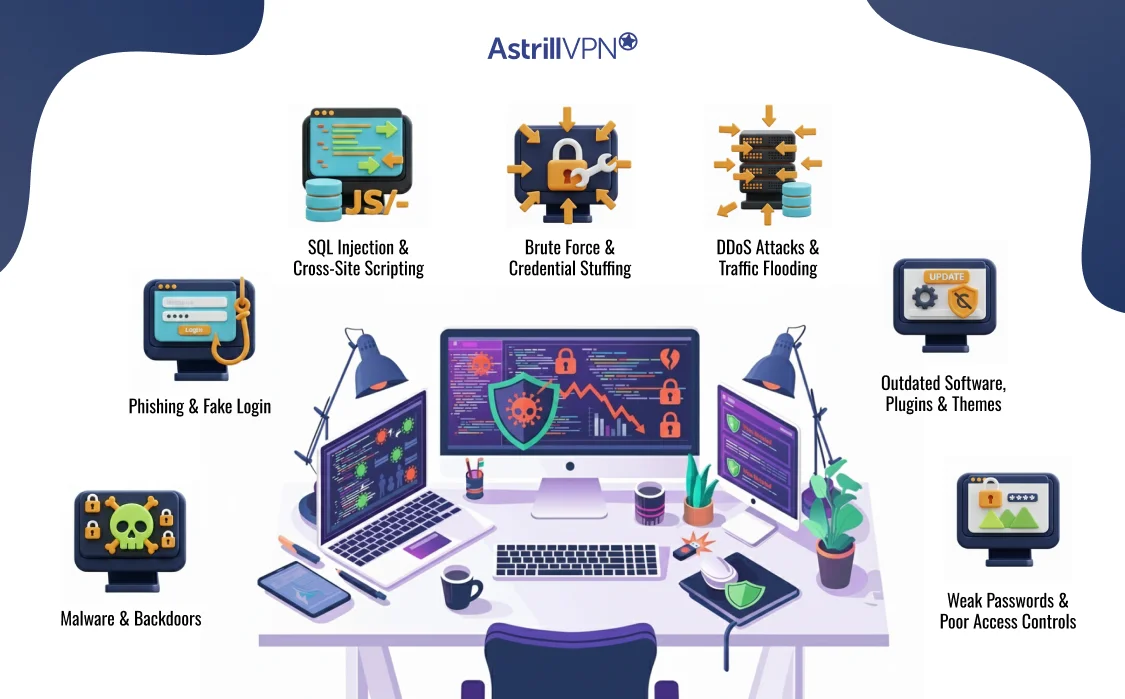
Malware Infections and Backdoors
Malware can be injected into a website through vulnerable plugins, outdated software, or compromised credentials. Once installed, it may redirect visitors, steal data, or give attackers persistent access through hidden backdoors.
Phishing Pages and Fake Login Forms
Attackers often compromise legitimate websites to host phishing pages. These pages appear trustworthy because they reside on legitimate domains, making users more likely to enter sensitive information.
SQL Injection and Cross-Site Scripting (XSS)
SQL injection targets poorly protected databases, allowing attackers to extract or manipulate stored data. XSS attacks inject malicious scripts that run in users’ browsers, often used to steal session cookies or credentials.
Brute Force and Credential Stuffing Attacks
Login pages are constantly targeted by automated bots attempting thousands of password combinations. Reused passwords from past data breaches make these attacks especially effective.
DDoS Attacks and Traffic Flooding
Distributed denial-of-service attacks overwhelm a website with traffic, making it inaccessible to legitimate users. Even short outages can result in lost revenue and damaged trust.
Outdated Software, Plugins, and Themes
Unpatched CMS cores, plugins, and themes are one of the most common entry points for attackers. Many attacks succeed simply because updates were ignored.
Weak Passwords and Poor Access Controls
Shared logins, weak passwords, and excessive admin privileges make it easy for attackers to escalate access once they gain a foothold.
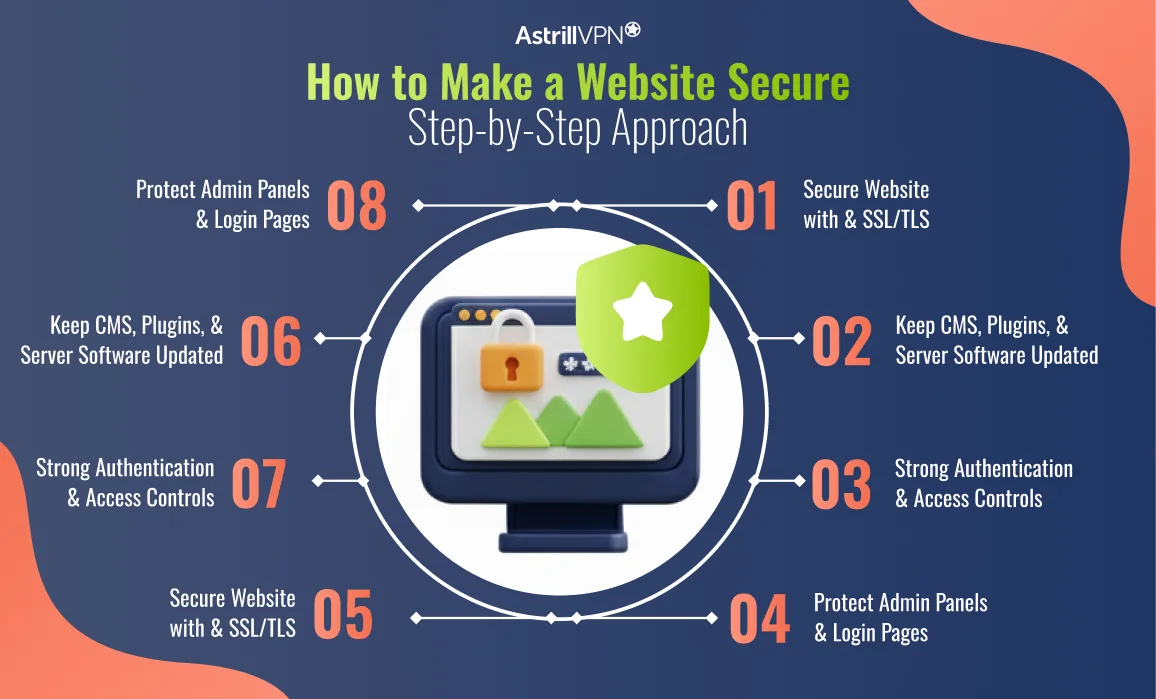
How to Make a Website Secure: Step-by-Step Approach
Securing a website requires a structured and repeatable approach. Each layer strengthens the next.
Secure Your Website with HTTPS and SSL/TLS
HTTPS encrypts data exchanged between visitors and your server, preventing interception and tampering. Modern browsers flag non-HTTPS websites as unsafe, and search engines penalize them. Every website should use HTTPS by default, without exception.
Keep Your CMS, Plugins, and Server Software Updated
Updates often fix known security vulnerabilities. Running outdated software is one of the easiest ways for attackers to gain access.
Enable automatic updates where possible and regularly review installed components.
Use Strong Authentication and Access Controls
Protect admin accounts with strong, unique passwords and multi-factor authentication. Limit access based on role, and remove unused accounts promptly.
Protect Admin Panels and Login Pages
Restrict access to administrative areas using IP allowlists, CAPTCHA, or additional authentication layers. Reducing exposure significantly lowers attack attempts.
Configure Firewalls and Web Application Firewalls
Firewalls block malicious traffic before it reaches your website. A web application firewall helps filter out common attack patterns such as SQL injection and XSS.
Scan for Malware and Vulnerabilities Regularly
Routine scanning helps detect infections and misconfigurations early. Early detection often prevents minor issues from becoming major incidents.
Secure Your Hosting Environment
Choose a hosting provider that prioritizes security, isolation, monitoring, and backups. Poor hosting security can undermine even the best website-level defenses.
Implement Regular Backups and Recovery Plans
Backups ensure that you can restore your website quickly in the event of an incident. Store backups securely and regularly test restoration procedures.
How to Protect a Website from Hackers
Protecting a website from hackers involves reducing opportunities and responding quickly when threats emerge.
Reduce Attack Surface
Disable unused features, remove unnecessary plugins, and close open ports. The fewer entry points available, the harder it is for your website to be compromised.
Block Suspicious IPs and Bots
Utilize automated rules to block known malicious IP addresses and aggressive bot traffic before they cause damage.
Prevent Automated Attacks
Rate limiting, CAPTCHA, and login throttling effectively stop brute force and credential stuffing attempts.
Monitor Suspicious Behavior and Alerts
Unusual login attempts, file changes, or traffic spikes should trigger alerts. Real-time visibility helps you act before attackers succeed.
Prepare an Incident Response Plan
Knowing exactly what to do during a breach can significantly reduce downtime and confusion. Effective response plans should include clear steps for containment, cleanup, and communication.
Website Security Tips for Ongoing Protection
Website security is not a one-time task; it requires ongoing maintenance. Consistent habits make the most significant difference over time.
- Limit admin access to only those who need it.
- Review permissions regularly.
- Monitor logs for unusual activity.
- Use reputable security tools.
- Audit your website periodically for vulnerabilities.
Website Security Checklist (Quick Reference)
Use this checklist as a baseline for securing any website.
Technical Controls
- HTTPS is enabled across the site
- Firewall and WAF configured.
- Software and plugins updated
Access Controls
- Strong passwords enforced
- Multi-factor authentication enabled
- Unused accounts removed
Monitoring and Recovery
- Malware scans scheduled
- Backups are automated and tested.
- Security alerts configured
Website Security for Different Types of Websites
Website security is not one-size-fits-all. The risks a website faces depend heavily on how it is used, what data it handles, and how visitors interact with it. Understanding these differences helps you prioritize the right protections, rather than relying on generic security measures.
Website Security for Small Business Websites
Small business websites are often targeted precisely because they are assumed to be less secure. Many rely on shared hosting, outdated plugins, or minimal monitoring, which makes them attractive to automated attacks.
For small businesses, the focus should be on strong basics. This includes keeping software up to date, securing administrative accounts, enabling HTTPS, and utilizing a firewall. Regular backups are especially crucial, as downtime or data loss can have a significant impact on revenue and customer trust.
Even a simple brochure website can be abused to host malware or redirect visitors if left unprotected.
Website Security for E-commerce Stores
E-commerce websites handle sensitive customer data, including personal information and payment details. This makes them high-value targets for attackers looking to steal data, commit fraud, or disrupt transactions.
Security for e-commerce sites should prioritize secure checkout flows, encrypted data transmission, and strict access controls. Monitoring for suspicious activity, such as unusual login attempts or payment anomalies, is essential.
A single breach can result in significant financial losses, chargebacks, regulatory issues, and long-term damage to brand credibility. For e-commerce, proactive security is not optional.
Website Security for Blogs and Content Websites
Blogs and content-driven websites are often overlooked when it comes to security, yet they are frequently compromised. Attackers use these sites to inject spam, host phishing pages, or distribute malicious scripts.
While these websites may not store user data, their domain authority and search engine trust make them valuable targets for cybercriminals. Security efforts should focus on preventing unauthorized file changes, protecting admin accounts, and monitoring outbound links.
Website Security for Enterprise and SaaS Platforms
Enterprise websites and SaaS platforms operate at a much larger scale and face more sophisticated threats. These platforms often manage user accounts, proprietary data, APIs, and integrated services.
Security for these environments requires layered defenses, continuous monitoring, access segmentation, and clearly defined incident response processes. Regular security audits and penetration testing are often necessary to identify vulnerabilities that may be hidden.
Because enterprise platforms serve a large number of users, even minor vulnerabilities can have significant consequences. Strong website security here supports stability, compliance, and long-term scalability.
Signs Your Website Security Is Compromised
Security breaches are not always immediately apparent. In many cases, websites continue to function while attackers operate quietly in the background. Recognizing the early warning signs enables you to respond before significant damage occurs.
Unexpected Redirects or Pop-Ups
If visitors are being redirected to unfamiliar websites or seeing intrusive pop-ups, your site may be injecting malicious scripts. This is a common sign of malware infections, especially on content management systems.
Google or Browser Security Warnings
Warnings such as “This site may be hacked” or “Deceptive site ahead” indicate that search engines or browsers have detected malicious behavior. Once these warnings appear, traffic and trust drop immediately.
Sudden Drop in Traffic or Rankings
A sharp decline in organic traffic can signal that your website has been flagged, penalized, or blacklisted due to security issues. Search engines actively demote websites that have been compromised to protect users.
Unknown Admin Accounts or Permission Changes
If you notice new administrator accounts, modified permissions, or login activity you do not recognize, it often means attackers have gained unauthorized access.
Slow Performance or Unusual Server Load
Malware, crypto mining scripts, and bot activity can significantly slow down your website. Unexpected spikes in CPU usage or bandwidth consumption are strong indicators of compromise.
Unauthorized File or Content Changes
New files you did not upload, altered core files, or strange code snippets in your website files are common signs of intrusion. Attackers often hide malicious code deep within legitimate files.
Suspicious Outbound Traffic or Emails
If your website is sending spam emails or making outbound connections to unknown servers, it may be part of a larger network of attacks. This behavior can also get your domain blacklisted.
Customer or User Complaints
Users reporting strange behavior, login issues, or security warnings should never be ignored. External reports often surface problems before internal monitoring does.
What to Do If Your Website Gets Hacked
When a website is compromised, speed and clarity matter. A calm, structured response can significantly reduce damage and the time required for recovery. The goal is to contain the incident, remove the threat, and prevent it from happening again.
Contain the Breach Immediately
As soon as you suspect a hack, limit further damage. If necessary, take the website temporarily offline or restrict access to prevent attackers from continuing their activity. This step protects visitors while you assess the situation.
Identify the Point of Compromise
Determine how the attackers gained access. Common entry points include outdated plugins, weak passwords, compromised credentials, or misconfigured servers. Understanding the root cause is critical for a complete cleanup.
Remove Malicious Files and Code
Scan the website for malware, injected scripts, and unauthorized files. Remove everything that does not belong, including hidden backdoors. Cleaning only visible symptoms often leads to reinfection.
Reset All Credentials
Change all passwords related to the website. This includes admin accounts, hosting panels, databases, FTP access, and API keys. Use strong, unique passwords and enable multi-factor authentication where possible.
Restore from a Clean Backup if Needed
If the damage is extensive, restoring the website from a verified clean backup may be the fastest and safest option. Ensure the backup predates the compromise and does not contain malicious code.
Update and Patch Vulnerabilities
Apply all pending updates to your CMS, plugins, themes, and server software. Close the security gap that allowed the attack in the first place before bringing the website fully back online.
Notify Users When Appropriate
If user data may have been exposed, transparency is essential. Inform affected users promptly and guide them on the protective steps they should take, such as resetting passwords.
Monitor Closely After Recovery
After cleanup, closely monitor logs, traffic patterns, and file changes. Attackers sometimes attempt to regain access using previously planted methods.
Review and Strengthen Your Security Setup
Treat the incident as a learning opportunity. Add additional layers of protection, such as firewalls, monitoring tools, automated backups, and access controls, to reduce the risk of future breaches.
Conclusion
Website security is a continuous journey, not a final destination. As threats evolve and new vulnerabilities emerge, the measures that protect you today may not be sufficient tomorrow. Don’t let this overwhelm you. Start with immediate actions, work through weekly and monthly steps, and establish quarterly maintenance routines. Each improvement enhances your security.
The cost of inaction far outweighs the cost of investing in security. A single breach can incur costs of over $1.42 million for small to medium businesses, while comprehensive security measures are much more affordable.
Remember, security involves processes, people, and culture. Technical controls can fail if users take unnecessary risks, so it is essential to combine technology with education and vigilance. Prioritize security based on your specific risks and vulnerabilities. Different sites require different levels of protection, so focus on your most valuable assets first.
FAQs:
Website security costs depend on the type and size of your website. Small websites may only need basic protections like SSL, updates, and monitoring, while larger or ecommerce sites require firewalls, malware scanning, and backups. The ongoing cost of security is usually much lower than the cost of recovering from a hacked website.
The most common website security threats include malware infections, phishing pages, brute force login attempts, outdated plugins or software, SQL injection, cross-site scripting, and DDoS attacks. Most attacks succeed because known vulnerabilities are left unpatched.
Website security matters because it protects user data, prevents downtime, avoids search engine warnings, and preserves trust in your brand. A single security incident can impact traffic, revenue, and long-term credibility.

Secure your privacy instantly. Try AstrillVPN with zero risk.
About The Author


No comments were posted yet