




How to Stop Internet Throttling and Beat Your ISP

Internet service providers (ISPs) can limit our bandwidth or reduce our internet speeds, also known as internet throttling, for various reasons such as network congestion, data caps, and even to discourage certain types of internet activities like streaming and gaming.
Internet throttling can significantly affect internet users who rely on high-speed internet for online gaming, streaming, and other bandwidth-intensive activities. This can be frustrating and a big inconvenience. Additionally, it can pose a risk to online privacy and security, especially when accessing sensitive data and information.
In this blog post, we’ll explore what bandwidth throttling is, how to check if you’re being throttled, and provide solutions to stop internet throttling.
Table of Contents
What is Internet Throttling?
Internet throttling, also known as bandwidth throttling, is a technique that ISPs use to slow down internet speeds. ISPs primarily use the practice of internet throttling to regulate the amount of bandwidth their customers use, especially during peak usage hours.
When an ISP throttles a user’s internet connection, they slow down the user’s download and upload speeds, making it more difficult to access online content, stream videos, or play games online. Internet throttling can also result in buffering and lagging, leading to an overall poor online experience.
Reasons Why ISPs Throttle Internet Speeds
There are several reasons why ISPs throttle bandwidth, including:
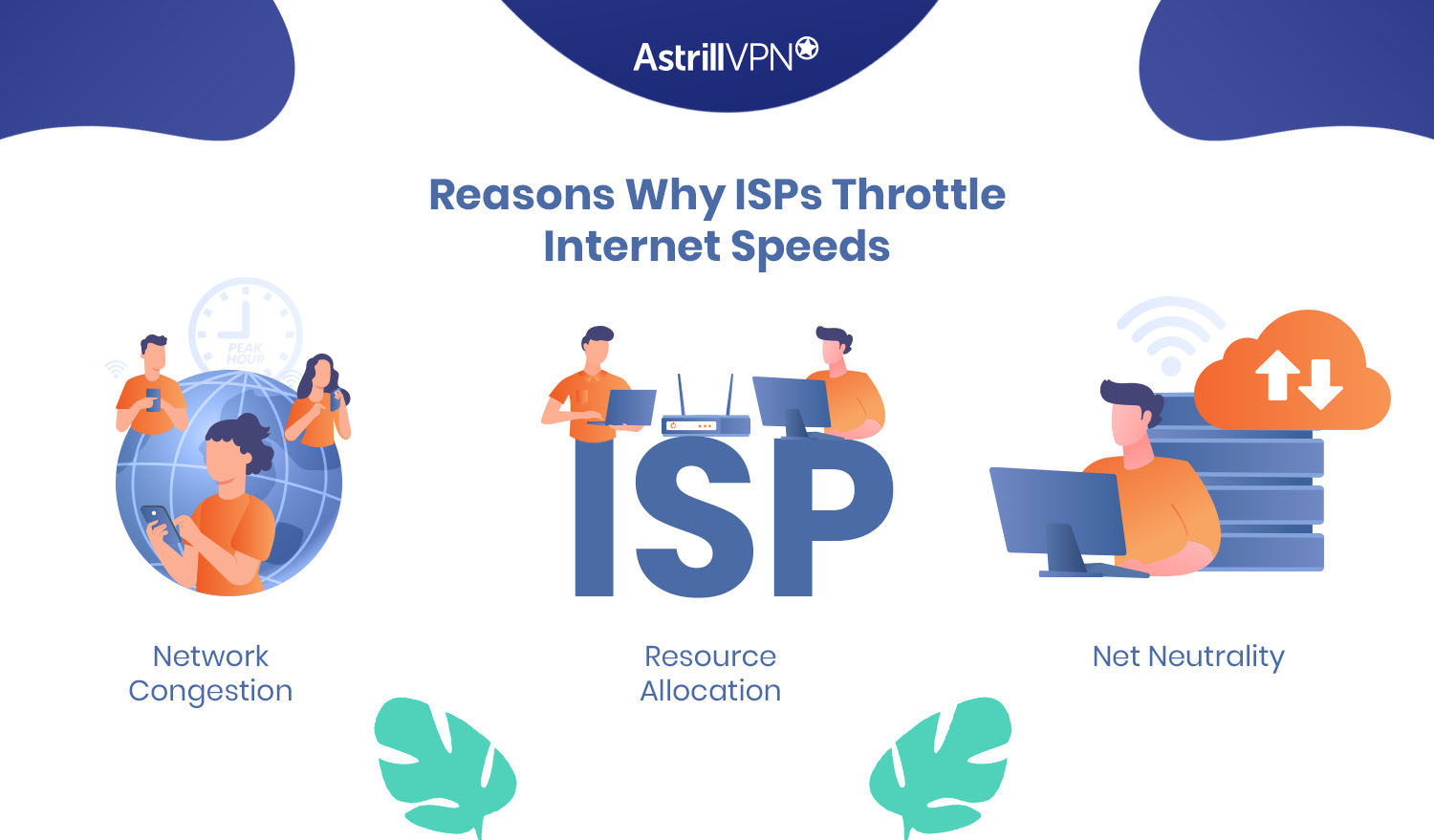
1. Network Congestion
During peak usage hours, internet users can drastically increase, leading to network congestion. To regulate the amount of bandwidth being used, ISPs may throttle the internet speed of their customers.
2. Resource Allocation
ISPs use internet throttling to ensure that all their customers receive a fair share of available bandwidth. Internet throttling helps to prevent one user from monopolizing the available bandwidth and slowing down the internet connection for other users.
3. Net Neutrality
With the repeal of Net Neutrality laws in the United States, ISPs can now throttle bandwidth to give preference to their services or services they have paid for, effectively blocking or slowing down access to their competitors.
How to Check if You’re Being Throttled?
If you are wondering, am I being throttled? Here are some simple methods to check if your ISP is throttling your internet speed:
- The first step in determining whether your ISP is throttling your internet speed is to check your internet speed. You can use any online speed test tool to check your internet speed, such as speedtest.net or fast.com. If your internet speed is significantly slower than what you are paying for, it may indicate that your ISP is throttling your connection.
- You can use a network monitoring tool to monitor your network activity and identify if there are any sudden drops in speed or unusual traffic patterns. Some popular network monitoring tools include GlassWire and Wireshark.
- If you suspect your ISP is throttling a specific service, such as streaming video or online gaming, you can test your connection speed on different services to see if the issue is consistent. For example, if your Netflix streaming is slow, try using a different streaming service like Hulu or Amazon Prime Video.
Run a test with and without a VPN. First, perform a speed test with your normal connection. Then connect to a nearby AstrillVPN server and run the same test again. If speeds improve noticeably when the VPN is on, that suggests your ISP may be slowing down certain services or types of traffic
- Contact your ISP to confirm if they are throttling your internet speed. If they are, ask them to explain the reason for the throttling and how you can avoid it in the future.
How to Stop Internet Throttling
There are several ways to stop internet throttling, including:
1. Use a VPN
A VPN can help to protect your online privacy and security. It works by encrypting your internet traffic and routing it through a secure server, which can help to prevent your ISP from throttling your internet speed. AstrillVPN provides the best security protocols, enabling you to bypass ISP throttling and use the internet completely.
After you connect to an AstrillVPN server, your ISP will only be able to notice that you are using a VPN, but they cannot track your online activity.
Since AstrillVPN has an extensive server network, it offers fast speeds, strong encryption, and essential user features.
Start Protecting Your Privacy...
Get AstrillVPN
2. Monitor Your Data Usage
ISPs can throttle your internet speed if you exceed your data cap, the amount of data you are allowed to use each month. To prevent this, you should monitor your data usage and ensure you do not exceed your data cap.
Most ISPs provide a way to check your data usage, either through an online portal or a mobile app. You can also use third-party tools like GlassWire, NetWorx, or Data Usage Monitor to monitor your data usage and receive alerts when you approach your data cap.
3. Opt for an Unlimited Plan
Consider upgrading to an unlimited plan if you frequently exceed your data cap. Unlimited plans allow you to use as much data as possible without being throttled or charged extra fees.
However, not all unlimited plans are created equal. Some ISPs may still throttle your bandwidth, even on an unlimited plan, especially during peak hours or if you are using a lot of data. You should check the fine print of your plan to see if there are any restrictions or limitations.
4. Utilize Quality of Service (QoS) Settings
Quality of Service (QoS) is a networking feature that allows you to prioritize bandwidth usage to ensure that certain types of network traffic are given higher priority than others. By utilizing QoS settings, you can ensure that your most important network activities, such as video calls or online gaming, get the necessary bandwidth they need, even when other devices on your network are using the internet.
To prioritize your bandwidth usage using QoS settings, follow these steps:
- Identify the applications or devices on your network that require the most bandwidth, such as video streaming, video calls, online gaming, or file downloads.
- Log in to your router settings using a web browser and navigate to the QoS settings. Depending on your router, you may need to enable QoS before configuring it.
- You can set the priority level for different types of network traffic in the QoS settings. You can assign a higher priority to certain types of traffic by setting a higher value in the QoS settings.
- Once you have configured the QoS settings, make sure to save your changes. Your router will then prioritize network traffic according to your configured settings.
How Does ISP Throttling Bandwidth Work?
Understanding how ISP throttling works requires a detailed examination of its mechanisms and why ISPs employ such tactics. Users should be aware of it and should learn how to stop ISP throttling.
The Mechanisms Behind ISP Throttling
ISP throttling involves the service provider’s deliberate reduction of internet speed. This is often achieved through several technical methods:
Traffic Analysis and Deep Packet Inspection (DPI)
ISPs monitor the data packets that travel through their network using sophisticated tools like Deep Packet Inspection. DPI allows them to scrutinize the type of traffic—whether it’s streaming, downloading, or browsing. By identifying specific types of data packets, ISPs can selectively slow down certain kinds of traffic.
Bandwidth Management Policies
ISPs implement bandwidth management policies to control the amount of data transmitted over their networks. These policies can be configured to limit data transfer speed once a user exceeds a certain data cap within a billing period. This form of throttling ensures that heavy users consume manageable amounts of bandwidth.
Congestion Control
During peak usage times, network congestion can occur, leading to slower internet speeds for all users. To mitigate this, ISPs may throttle the bandwidth for certain types of traffic or specific users. This helps maintain overall network performance and prevents many users from overwhelming the network.
Quality of Service (QoS) Settings
QoS settings allow ISPs to prioritize certain types of traffic over others. For instance, they might prioritize essential services like VoIP or gaming over streaming or downloading. By doing so, ISPs ensure critical services remain unaffected during high-traffic periods, while less critical services experience slower speeds.
Do All ISPs Throttle?
Internet throttling is common among many Internet Service Providers (ISPs) worldwide. Large fixed‑line and mobile operators often use traffic management and data caps to control costs and keep their networks stable. Some, like Comcast in the US, have faced public cases and regulatory attention for slowing certain traffic such as peer‑to‑peer or streaming under specific conditions
Major ISPs Known for Throttling
Comcast (Xfinity)
Known to be one of the largest ISPs in the United States, it has a history of throttling internet speeds. The company has been accused of throttling peer-to-peer (P2P) file-sharing traffic and imposing data caps that, when exceeded, result in reduced speeds.
AT&T
AT&T is another major player in the telecommunications industry reported to throttle internet speeds. Users have experienced throttling during video streaming and other high-bandwidth activities, particularly during peak usage.
Verizon
Verizon has faced criticism for throttling its customers’ internet speeds. Notably, the company was involved in a high-profile incident in which it throttled the data speeds of firefighters during a wildfire crisis, which brought significant public and legal attention to its throttling practices.
T-Mobile
It has been known to throttle data for users who exceed their data cap or during network congestion. This practice is often part of their network management policy to ensure fair usage among all customers.
Cox Communications
Cox Communications has been reported to throttle internet speeds, particularly for heavy users who exceed their data caps. Customers have experienced reduced speeds during video streaming and other bandwidth-intensive activities.
CenturyLink
Many of its users have reported throttling, especially during peak hours and for high-bandwidth activities such as streaming and online gaming. The company uses traffic management techniques to maintain overall network performance.
Impact of ISP Throttling on Online Gaming and Streaming
The impact of ISP throttling on people who like to play online games and do online streaming is significant. Let’s look at some specific examples:
A study conducted by the University of Georgia found that gamers who experienced latency in their online games had lower game satisfaction and were more likely to quit the game altogether. Latency can occur when an ISP throttles bandwidth, making it difficult for gamers to have a seamless gaming experience. This can result in frustration and loss of interest in the game.
In 2014, Netflix accused Comcast of intentionally slowing down their internet speed, resulting in buffering issues and poor video quality for their users. Comcast denied the allegations but eventually agreed to pay a settlement to Netflix to improve the internet speed for their customers. This highlights the impact of ISP throttling on video streaming and the importance of net neutrality in ensuring fair and equal access to the internet.
Many users have reported experiencing ISP throttling and impacting their online activities. For example, a Reddit user reported that their internet speed was throttled during peak hours, resulting in buffering issues and poor video quality. Similarly, a gamer on a forum reported that their internet speed was throttled during online gaming, resulting in increased lag and a poor gaming experience.
The Future of ISP Throttling
Looking ahead, there are several trends and predictions on the future of internet throttling:
- Continued battles over net neutrality: There is likely to be continued debate and legal battles over net neutrality as supporters of open internet push for regulations to prevent ISPs from throttling or blocking access to specific websites or services.
- Increased focus on internet privacy: As concerns over online privacy continue to grow, there may be increased pressure on ISPs to limit data collection and monitoring. This could lead to stricter regulations on Wi-Fi and other forms of network management.
- The emergence of new technologies: The development of technologies, such as 5G networks and the Internet of Things, may lead to new forms of internet throttling or network management. For example, ISPs may use network slicing to prioritize certain types of traffic over others.
- Heightened awareness of the impacts of throttling: As more people become aware of the impact of internet throttling on their online experiences, there may be increased pressure on ISPs to limit or eliminate this practice. This could lead to changes in industry practices or regulatory policies.
Overall, the future of ISP throttling is likely to be shaped by a combination of technological developments, regulatory policies, and changing consumer attitudes. While it is difficult to predict the exact course of these factors, it is clear that internet throttling will continue to be a topic of debate and discussion in the years to come.
Conclusion
Hopefully, this guide will clear the air, and you’ll stop wondering, “is my internet being throttled,” after going through this guide. Internet throttling can be frustrating for internet users, especially gamers and streaming enthusiasts who need high-speed internet for their online activities.
However, with the right tools and techniques, you can stop internet throttling and improve your online experience. It’s essential to be aware of the impact of cybersecurity on online gaming and streaming and take measures to protect your online privacy and security and choose a dedicated vpn for gaming.
It is highly recommended that you use a VPN to encrypt your online activities and hide your internet traffic from your ISP. A VPN can provide a secure and private internet connection, protect against cyber threats, and bypass internet throttling.
FAQs
No, ISP throttling isn’t illegal because no law restricts the throttling of bandwidth. Net Neutrality was focused on legally restricting ISP throttling but was rejected by the authorities in 2017.
Unlimited data doesn’t mean unlimited, but that’s a greater cap. Once that cap is touched, ISPs start throttling data because your data cap becomes normal.
ISPs throttle people to clear up network congestion. The ISP targets a specific user only if the user is sulking a great deal of bandwidth.
To determine if your ISP is throttling your internet connection, you can conduct speed tests, compare VPN and non-VPN Speeds, and monitor specific services.
Yes, bandwidth throttling affects mobile data. Mobile carriers may slow down speeds for users exceeding data caps or during high network congestion to ensure fair usage and manage network performance.
Yes, ISP throttling is legal in many regions. In the United States, it is legal as long as ISPs disclose their practices. Regulations vary globally, with some regions like the EU having stricter ru

Secure your privacy instantly. Try AstrillVPN with zero risk.
About The Author










No comments were posted yet