
VPN vs Incognito vs Ad Blockers: What Actually Protects Your Privacy?

Arsalan Rathore

Most people assume they are covered the moment they click “New Incognito Window” or install a free ad blocker from the Chrome store. The truth is a lot more layered than that. VPNs, Incognito Mode, and ad blockers each protect you from a different slice of the problem, and none of them covers the whole picture on its own.
This guide breaks down exactly what each tool does, where it falls short, and how to use them together so your privacy decisions are based on facts, not marketing.
Table of Contents
What Does Incognito Mode Actually What Incognito Mode does not HideDo?
Incognito Mode (also called Private Browsing in Firefox and InPrivate in Edge) is a browser feature, not a privacy shield. When you open an incognito window, your browser stops saving the session to your local history. That is the extent of it.
When the window closes, your browser deletes the cookies, cache, and form data from that session. If someone picks up your laptop after, they will not see what you were looking at. That is genuinely useful in some contexts, but it stops at the device.
How Incognito Mode Works
Each incognito session runs in a temporary, isolated container inside your browser. Websites can still drop cookies during the session and track you while you are active. The moment you close the window, those cookies are wiped on your side. The website’s server logs, however, still record every request you made.
Your browser is basically taking notes and then shredding them after the session. The librarian still watched you the whole time.
What Incognito Mode Hides
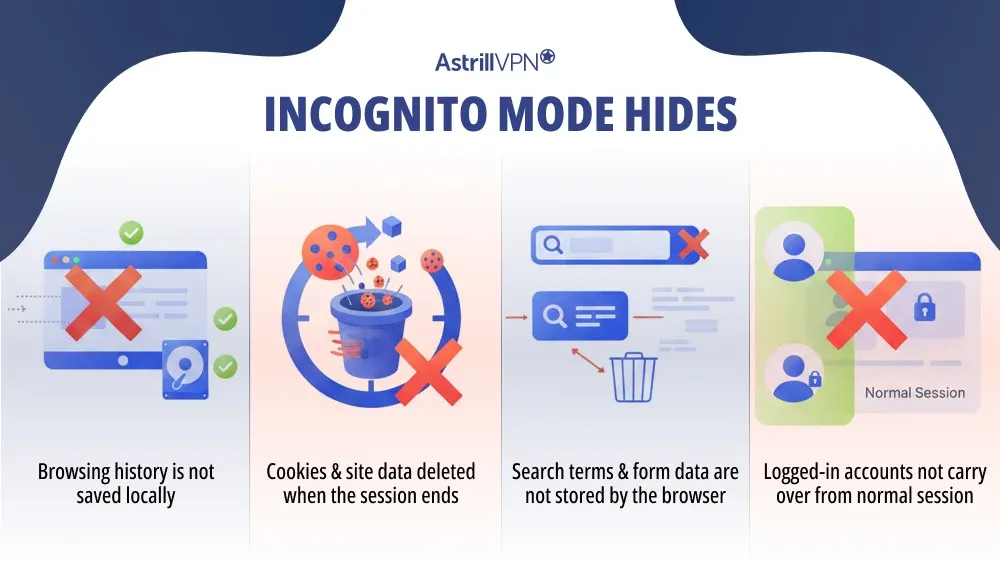
Incognito hides your activity from other people who have access to your device. Specifically:
- Your browsing history is not saved locally
- Cookies and site data are deleted when the session ends
- Search terms and form data are not stored by the browser
- Logged-in accounts do not carry over from your normal session
What Incognito Mode Does Not Hide
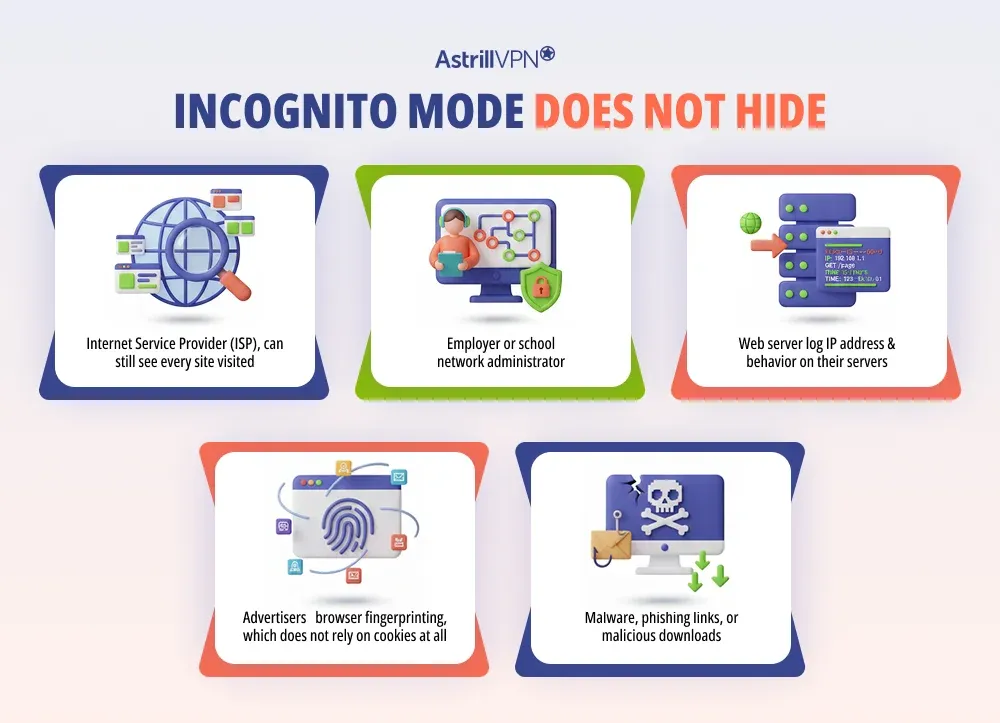
This is where most people get it wrong. Incognito does not protect you from:
- Your Internet Service Provider (ISP), which can still see every site you visit
- Your employer or school network administrator
- The websites themselves, which log your IP address and behavior on their servers
- Advertisers use browser fingerprinting, which does not rely on cookies at all
- Malware, phishing links, or malicious downloads
Google settled a class-action lawsuit in 2024 for collecting data on users who believed Incognito kept them private. The settlement required Google to update its Incognito disclaimer to explicitly state it does not provide anonymity. That should tell you everything you need to know about how “private” private browsing actually is.
When Should You Use Incognito Mode?
Incognito is useful when you want to keep something off your device’s history. Buying a surprise gift, logging into a secondary account, checking how a website looks to a first-time visitor, or using a shared computer are all legitimate use cases. Just do not mistake it for online anonymity.
What Is a VPN and How Does It Work?
A VPN, or Virtual Private Network, routes your internet traffic through an encrypted tunnel to a server operated by the VPN provider. From that point, your traffic exits onto the internet with the VPN server’s IP address instead of yours.
This means two things happen at once: your data is encrypted in transit so no one between you and the VPN server can read it, and the sites you visit see the VPN’s IP address instead of your real one.
How a VPN Encrypts Your Traffic
When you connect to a VPN, it establishes an encrypted tunnel using protocols like OpenVPN, WireGuard, or IKEv2. All traffic from your device, not just browser traffic, passes through this tunnel before reaching the wider internet.
Anyone monitoring your network, whether that is your ISP, a coffee shop Wi-Fi operator, or a network administrator at work, can see that you are connected to a VPN. They cannot see what you are doing inside that connection.
What a VPN Protects You From
- ISP surveillance and traffic logging
- Network-level snooping on public Wi-Fi
- IP-based tracking and geo-targeting by websites
- Government or employer monitoring of your internet activity
- DNS leaks that reveal which domains you are requesting
What a VPN Does Not Protect You From
A VPN is not a complete anonymity tool. It will not protect you from:
- Browser fingerprinting, which identifies you by your device and browser settings, regardless of IP address
- Tracking through accounts you are logged into, Google, Facebook, and similar services connect activity to your profile regardless of IP
- Malware is already on your device
- Phishing attacks
- A VPN provider that logs your activity and sells or hands it over
The last point matters a great deal. If your VPN provider keeps logs of your activity and is compelled to share them, the protection disappears entirely. Always choose a provider with a verified no-logs policy and a transparent privacy track record.
What Is an Ad Blocker and How Does It Work?
Ad blockers are tools, usually browser extensions or system-level apps, that prevent ads from loading on web pages. But that description undersells what they actually do. The more accurate framing is that ad blockers block the trackers, scripts, and third-party requests that ads piggyback on.
How Ad Blockers Block More Than Just Ads
Most ad blockers work by comparing network requests against a blocklist of known ad domains, tracking scripts, and analytics platforms. When a website tries to load content from a blocked domain, the request is dropped before it ever reaches your browser.
This means the tracking pixel from an ad network never fires. The retargeting cookie never gets set. The analytics script never runs. You are not just removing the banner from view; you are cutting off the data pipeline before it starts.
Browser Extension Ad Blockers vs DNS-Based Ad Blockers
Browser extensions like uBlock Origin work at the page level inside a single browser. They are highly effective and give you granular control over what gets blocked on specific sites.
DNS-based ad blockers work at the network level by redirecting requests for known ad domains to a dead end before they even reach your browser. They cover all apps and devices on your network, not just one browser. The tradeoff is that they require more setup and offer less page-level control.
For most users, a well-configured browser extension handles most everyday tracking. For whole-home or multi-device protection, DNS-level blocking adds meaningful coverage.
What Ad Blockers Protect You From
- Third-party tracking scripts embedded in ads
- Cross-site ad retargeting and behavioral profiling
- Malvertising, which is malicious code served through ad networks
- Pixel-based tracking and invisible telemetry requests
- Page slowdowns caused by heavy ad and analytics scripts
What Ad Blockers Do Not Protect You From
Ad blockers work at the content layer. They do not touch your network traffic:
- Your IP address remains visible to websites and your ISP
- Your ISP can still monitor your traffic
- First-party tracking, meaning the site you are on that collects your data, is not blocked
- Browser fingerprinting can still identify you without cookies or ads
VPN vs Incognito vs Ad Blocker: Key Differences
The table below maps each tool against common privacy threats. No single tool handles everything, which is exactly why layering them is the right approach.
| Privacy Threat | Incognito | VPN | Ad Blocker |
| Hides local browsing history | Yes | No | No |
| Hides IP address | No | Yes | No |
| Encrypts internet traffic | No | Yes | No |
| Blocks tracking scripts | No | No | Yes |
| Stops ad retargeting | Partially | Partially | Yes |
| Protects on public Wi-Fi | No | Yes | No |
| Stops ISP from seeing traffic | No | Yes | No |
| Blocks malvertising | No | Partially | Yes |
| Prevents browser fingerprinting | No | No | Partially |
| Works across all apps | No | Yes | No |
Does Incognito Mode Hide Your Activity from Your ISP?
Nope. Your internet provider operates at the network level, essentially sitting between your device and the rest of the web. Incognito Mode just keeps your browser from saving stuff on your device. It doesn’t change what your ISP can see.
When you browse in Incognito, your ISP still sees every DNS request you make, which reveals the domains you visit, and can still log your traffic. If you want to keep your browsing private from your ISP, a VPN is the only tool in this group that does so.
Does a VPN Stop Ad Tracking?
A VPN does a decent job of keeping your online activities private. It masks your real IP address, which is one way advertisers collect info to create profiles on you. Plus, it stops your internet service provider from tracking the sites you visit, cutting off another source of data they would normally use.
However, ad networks mostly track you through cookies, browser fingerprinting, login sessions, and tracking pixels, none of which a VPN blocks. If you are logged into Google while browsing, Google still ties your activity to your account regardless of your IP address. A VPN reduces the attack surface but does not eliminate ad tracking on its own.
Does an Ad Blocker Hide Your IP Address?
An ad blocker just filters out ads in your browser or at the DNS level. It doesn’t mess with your network connection or change your IP address. So, every website you visit can still see your real IP, even if you’ve got an ad blocker turned on.
If you want to mask your IP address, a VPN is what you need. The two tools solve different parts of the problem and work well together.
VPN vs Incognito vs Ad Blocker: Which One Should You Use?
The answer depends entirely on what you are actually trying to protect against. There is no universal winner because these tools do not compete with each other; they cover different layers of the same problem.
Use Incognito Mode If…
You want to keep a browsing session off your local device history. Shared computers, surprise purchases, logging into a secondary account without mixing sessions, or testing how a website behaves for a new visitor are all solid use cases.
Use a VPN If…
You want to encrypt your traffic, hide your IP address, protect yourself on public Wi-Fi, stop your ISP from monitoring your activity, or access content restricted to specific regions. A VPN like AstrillVPN gives you system-wide protection across every app on your device, not just inside a browser.
Use an Ad Blocker If…
You want to stop tracking scripts, block retargeting pixels, reduce the data advertisers collect about your behavior, and get a faster and cleaner browsing experience. Ad blockers are one of the most cost-effective privacy upgrades available.
Use All Three Together If…
You want serious, layered protection. Incognito keeps sessions clean locally. A VPN encrypts your connection and masks your IP at the network level. An ad blocker kills the tracking scripts and data collection that happen at the content layer. Together, they close the gaps each tool leaves on its own.
Real-World Scenarios
Browsing on Public Wi-Fi
Coffee shops, airports, hotels, and any network you do not control is a risk. Other users on the same network can potentially intercept unencrypted traffic. Incognito Mode offers nothing here because the threat is not local; it is on the network. An ad blocker does not help either.
A VPN is the right tool for this scenario. It encrypts everything, leaving your device so that network snoopers see only encrypted noise.
Shopping Online Without Being Tracked
You search for a pair of headphones, and suddenly, for the next two weeks, every website you visit shows you ads for headphones. That is cross-site retargeting at work, built on tracking pixels and third-party cookies.
An ad blocker is your primary defense here. It kills the tracking scripts before they can fire. Using Incognito mode for a shopping session adds a second layer of protection by preventing cookies from persisting after you close the window. A VPN helps by masking your IP so advertisers cannot triangulate your location.
Using a Shared or Work Device
If you need to use a work or shared computer for personal browsing, Incognito Mode is your friend. It ensures nothing from that session ends up in the browser history or autofill. Just be aware that your employer’s network monitoring tools may still log traffic at the router level, and Incognito does nothing to prevent it.
Trying to Stop Targeted Ads
Incognito does not stop ad targeting. A VPN reduces it partially. An ad blocker addresses it most directly by blocking the scripts responsible for behavioral tracking before they run. For anyone serious about reducing ad tracking, a well-configured ad blocker is non-negotiable.
Hiding Activity from Your ISP
This is a VPN-only scenario. Your ISP operates before your browser does. Incognito has no reach there, and neither does an ad blocker. A VPN encrypts your traffic at the point it leaves your device, so your ISP sees an encrypted connection to a VPN server and nothing beyond that.
Common Misconceptions About Incognito Mode
Misconception: Incognito makes you anonymous online.
Reality: Incognito only prevents local history from being stored. Your IP address, your ISP, and every website you visit can still identify you. Texas secured a $ 1.375 billion settlement against Google in 2025, specifically over its Incognito data-collection practices. Anonymity online requires more than a private browsing window.
Misconception: Incognito stops websites from tracking you.
Reality: Websites track via server-side logging, browser fingerprinting, and first-party data collection, none of which Incognito affects. Even within a session, cookies function normally. They are deleted after the session closes, but the website’s server still logs the visit.
Misconception: Incognito protects you from malware.
Reality: It provides zero security against malicious downloads or phishing links. Malware downloaded in Incognito behaves exactly as it would in a normal window.
Common Misconceptions About VPNs
Misconception: A VPN makes you completely anonymous.
Reality: A VPN hides your IP address and encrypts your traffic, but it does not prevent tracking via cookies, fingerprinting, or logged-in accounts. True anonymity online is extremely difficult to achieve. A VPN is a strong privacy layer, not an invisibility cloak.
Misconception: All VPNs offer the same protection.
Reality: The protection a VPN offers depends entirely on the provider. Free VPNs often log user data, limit bandwidth, and use weak encryption. A reputable paid VPN with an independently audited no-logs policy is fundamentally different from a product.
Misconception: A VPN significantly slows your internet.
Reality: With modern protocols like WireGuard and well-maintained server infrastructure, the performance impact of a good VPN is minimal. Some VPNs can actually improve speeds when an ISP throttles specific traffic types.
Common Misconceptions About Ad Blockers
Misconception: Ad blockers are just for blocking banner ads.
Reality: Ad blockers block the tracking infrastructure that ads rely on. Stopping the ad also stops the tracking pixel, the analytics script, and the retargeting cookie that travels with it. The privacy benefit often exceeds the aesthetic one.
Misconception: Ad blockers are illegal or unethical.
Reality: Using an ad blocker is entirely legal in virtually every jurisdiction. It is a user-side choice about what code executes in your browser. Publishers have the right to ask you to disable it, and you have the right to decline.
Misconception: A VPN with a built-in ad blocker covers everything.
Reality: VPN-integrated ad blockers operate at the DNS level and are effective against known ad domains. They do not match the granularity of a dedicated browser extension like uBlock Origin for page-level filtering. For comprehensive coverage, using both is the better setup.
Can You Use a VPN and Ad Blocker at the Same Time?
On desktop, yes, and you should. A browser extension ad blocker and a VPN app operate at different layers, so they complement each other without conflict. The VPN encrypts and anonymizes your connection at the network level while the ad blocker filters content at the page level.
VPN and Ad Blocker Conflicts on Mobile (iOS and Android)
Mobile is more complicated. Many system-wide ad blockers on iOS and Android use a local VPN profile as a technical workaround to filter traffic across all apps. This creates a direct conflict because mobile operating systems only allow one active VPN connection at a time.
When you activate your actual VPN, it overrides the ad blocker’s local VPN profile, or vice versa. The result is that you get either privacy or ad blocking, but not both simultaneously, through those specific tools.
How to Use a VPN with an Ad Blocker Without Conflicts
The cleanest solution on mobile is to use a VPN with built-in ad- and tracker-blocking, so both functions run through a single connection. AstrillVPN’s StealthVPN and other advanced protocols include options to block trackers and malicious domains without requiring a separate competing VPN profile
On desktop, keep using your browser extension and VPN app independently. They will not conflict, and together they offer the most comprehensive coverage of the three scenarios.
VPN vs Incognito vs Ad Blocker for Specific Use Cases
For Streaming and Geo-Restricted Content
Only a VPN is relevant here. Incognito Mode does not change your apparent location, and ad blockers do not affect geo-restrictions. A VPN routes your traffic through a server in another country, changing your visible IP and allowing you to access content that would otherwise be blocked in your region.
AstrillVPN maintains servers in dozens of countries specifically optimized for streaming, with protocols designed to bypass detection systems used by major platforms.
For Business and Remote Work
For remote workers, a VPN is not optional; it is the baseline. Accessing company systems over unencrypted connections creates real exposure. Incognito Mode offers nothing in a business security context. Ad blockers help reduce the attack surface against malvertising, a legitimate vector for malware in enterprise environments.
A layered setup of a VPN and an ad blocker covers the two most practical threat vectors for remote work: network-level exposure and browser-level malware delivery.
For Public Wi-Fi Security
Public Wi-Fi is an active threat environment. Network operators and other users on the same network have more access to your traffic than you probably realize. Incognito Mode does nothing here. An ad blocker does not protect your connection.
A VPN is the only tool from this group that actually secures you on a public network. It encrypts everything from your device before it ever touches the shared network infrastructure.
Conclusion
The honest answer is that no single tool protects your privacy completely. Incognito Mode, VPNs, and ad blockers each secure a different part of your digital life.
Incognito keeps your device clean. A VPN secures your connection and masks your identity online. An ad blocker cuts off the tracking infrastructure at the source. Used together, they create overlapping layers of protection that cover what each one misses individually.
If you can only start with one, start with a VPN. Network-level protection is foundational, and everything else builds on top of it. From there, install an ad blocker to defend against browser-level tracking, and use Incognito Mode when local privacy matters.
Privacy is not one tool. It is a stack of decisions. The good news is that getting the basics right does not require technical expertise; it just requires the right tools working together.
Frequently Asked Questions
No. Incognito only prevents your browser from saving history, cookies, and form data on your device.
Your internet provider, employer network, school network, and the websites you visit can still see your activity. Incognito is local privacy, not network privacy.
No. A VPN hides your real IP address and encrypts your internet traffic, which reduces tracking, but it does not make you invisible.
Websites can still track you through cookies, account logins, browser fingerprinting, and analytics scripts. A VPN improves privacy, but it is not total anonymity.
Both, depending on the blocker.
Basic ad blockers mainly remove ads. Advanced blockers also block tracking scripts, third-party cookies, and analytics domains, which improves privacy. They reduce tracking, but they do not fully stop it.
No. Incognito only hides browsing traces from other users of your device.
It does not encrypt traffic, hide your IP address, stop trackers, or prevent network or website monitoring. For real privacy protection, additional tools are required.
Use a VPN when you want:
• Protection on public WiFi
• To hide your IP address
• To prevent ISP monitoring
• To secure remote work connections
• To access region-restricted services safely
Use incognito when you only want:
• No saved browser history
• Temporary sessions without stored cookies
• Logging into multiple accounts on one browser
Best practice is combining both when privacy matters.

Secure your privacy instantly. Try AstrillVPN with zero risk.
About The Author


No comments were posted yet