


Have you ever wondered, what can someone do with your IP address? It is possible to find out a person’s identity from your IP address if you share it with them online. If you share your IP with someone else, they can use it to spy on you or make money off of you. So, you have to be extra cautious about how you share your IP with others. But first of all, what’s exactly an IP address?
An IP address is a number that uniquely identifies a device on the internet. This unique identifier allows a device to communicate with another device on the internet and is an essential part of the internet’s functioning. Currently, billions of devices are connected to the internet.
Table of Contents
What does an IP Address tell you?
An IP address tells you several things about a device connected to the internet.
- First, it acts as a unique identifier, allowing devices to communicate with each other. Every device that connects directly to the internet, like computers, smartphones, and routers, is assigned its own IP address.
- There are two main types of IP addresses: IPv4 and IPv6. Most IP addresses currently in use are IPv4 addresses, which consist of four sets of numbers separated by dots. For example, a sample IPv4 address may be 104.45.89.231. An IPv6 address uses a different format of eight groups of numbers and letters separated by colons. IPv6 addresses were created to support the massive increase in internet-connected devices.
- An IP address also reveals information about a device’s location at broader levels. IP addresses are assigned in blocks to internet service providers (ISPs) who then allocate them to customers. As a result, the first part of an IP address can indicate which ISP a device is connected through and sometimes the general geographic region. However, an IP address alone cannot pinpoint the exact physical location of a device.
- Finally, an IP address can reveal what type of device or network it belongs to. Certain ranges of IP addresses are reserved for specific uses, like private networks or mobile devices. When combined with other information, an IP address can give you an idea of whether a device is a computer, phone, tablet, router, printer, or something else.
How can someone get your IP Address?
An IP address is a number associated with your computer’s Internet connection. It allows websites and other users to identify you. These addresses are useful for tracking online activities and can help you find anonymous online assailants. They can also help you find websites that sell pirated downloads or nefarious goods. If you want to avoid being tracked, try using a VPN service or incognito mode on your browser.
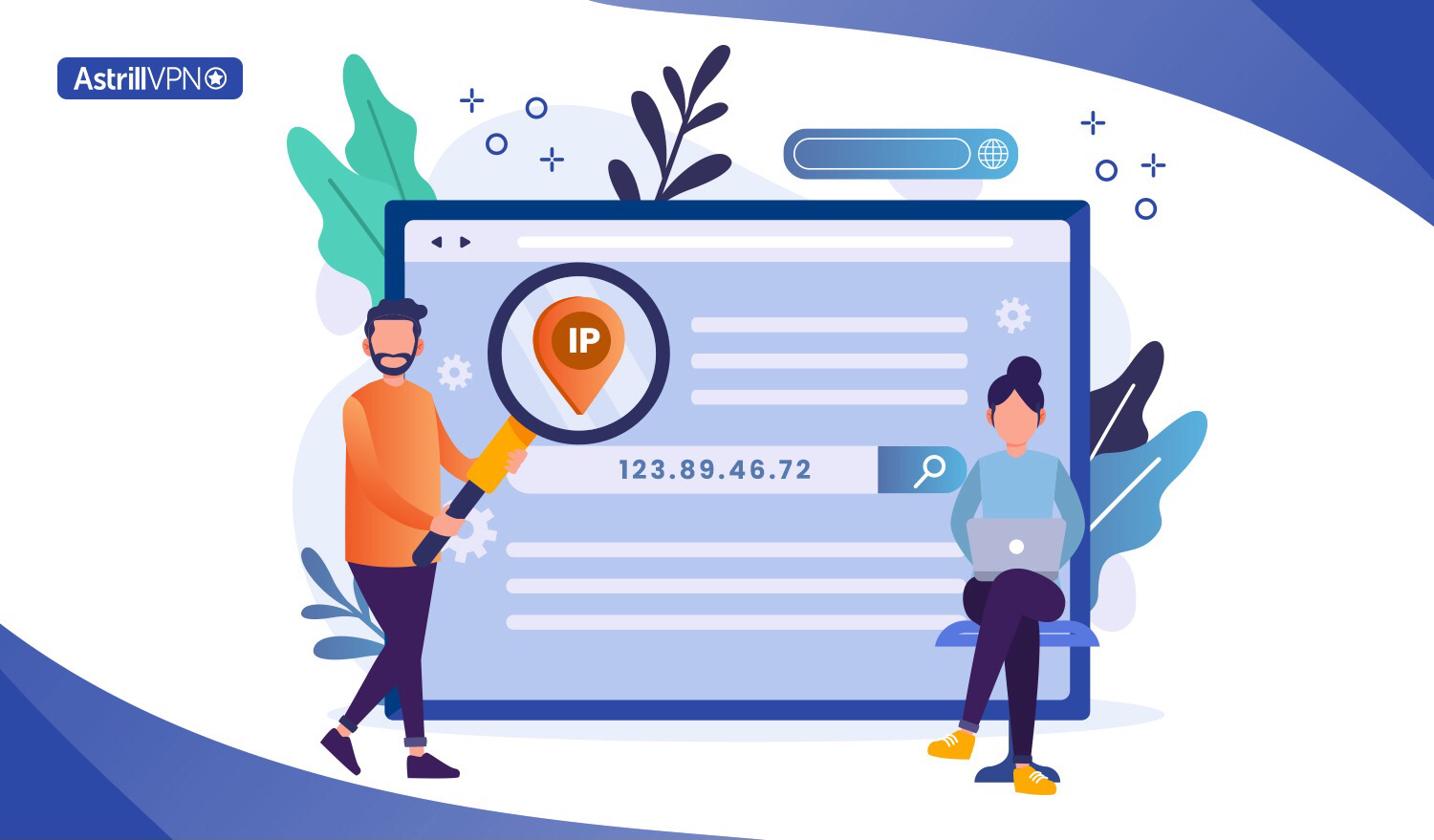
Here are some ways how can someone get your IP address:
Through a Court Order
Law enforcement agencies or other authorized parties can obtain your IP address through a court order in some legal cases. This is typically done as part of an investigation into criminal activities or to trace the source of malicious behavior online. A court order requires legal justification and oversight to prevent abuse of this process.
Direct Communication
Whenever you engage in any online activity, your device’s IP address is disclosed to the servers you interact with. For instance, when you send a request to a website, your IP address is included in that request. This is a fundamental aspect of Internet communication and is essential for transmitting data back to your device.
Emails
When you send an email, your IP address can be revealed in the email’s header. This information is often used for routing purposes and can also be used to trace the origin of the email. While modern email services might mask this information to protect users’ privacy, determined individuals could find ways to extract it.
Website Interaction
Websites you visit can log your IP address in their server logs. This is a common practice for analyzing user traffic, debugging technical issues, and identifying potential security threats. Website administrators can use this information to monitor user behavior but are also expected to follow privacy regulations and guidelines.
Social Engineering
Cyber attackers might employ social engineering techniques to voluntarily trick you into revealing your IP address. They could pose as legitimate entities, such as customer support representatives, and request your IP address under pretenses. This method relies on manipulating human psychology to extract sensitive information.
Malicious Links
If you click on a malicious link sent by an attacker, they could potentially exploit vulnerabilities in your browser or device to reveal your IP address. These links might lead to websites with malicious scripts designed to gather information about your device and its network connections.
Network Snooping
Attackers might intercept network traffic to capture your IP address in certain scenarios. This is more likely when you’re using unsecured or public Wi-Fi networks. Cybercriminals can employ various techniques to capture and analyze network packets, potentially exposing sensitive information like your IP address.
DNS Requests
When you enter a website’s domain name into your browser, your device sends a DNS (Domain Name System) request to a DNS server. This request contains your IP address, allowing the DNS server to respond with the corresponding website’s IP address. Attackers accessing the DNS server’s logs could retrieve this information.
How to see your Own IP Address?
To access the web, you must have an IP address to sign in. These addresses are publicly visible on the internet, and advertisers and media companies can use them to target advertisements and restrict content. They can also be used to track your online activity. Typically, the first two segments of an IP address reveal a user’s location, including city and state. The second two segments, however, contain no specific information.
By seeing your IP address, you’ll know the address from which you’re connecting to the web. There are a few easy ways to find your IP address:
On Web Browser
- First, you can simply open your web browser and go to a website like whatismyipaddress.com.
- This site will automatically detect your current IP address and display it on the page for you.
- Simply type “whatismyipaddress” into your search bar and hit enter.
- The site will load and show you a box with your IP address.
On Windows
- You can access the “Network and Internet” on your Windows computer.
- Click the Start button.
- Type “network” into the search bar, and select “Network and Internet.”
- Under the “Connections” tab, you’ll see your current IP address listed.
On Mac
- For Mac users, open System Preferences and click the “Network” icon.
- Select your current WiFi network from the left sidebar
- Click the “Advanced” button at the bottom.
- Your IP address will be displayed at the top of the new window.
On Mobile
- If you’re on a mobile device, you can open your phone’s settings
- Look under the “WiFi” or “Network” section.
- Your current IP address should be listed there.
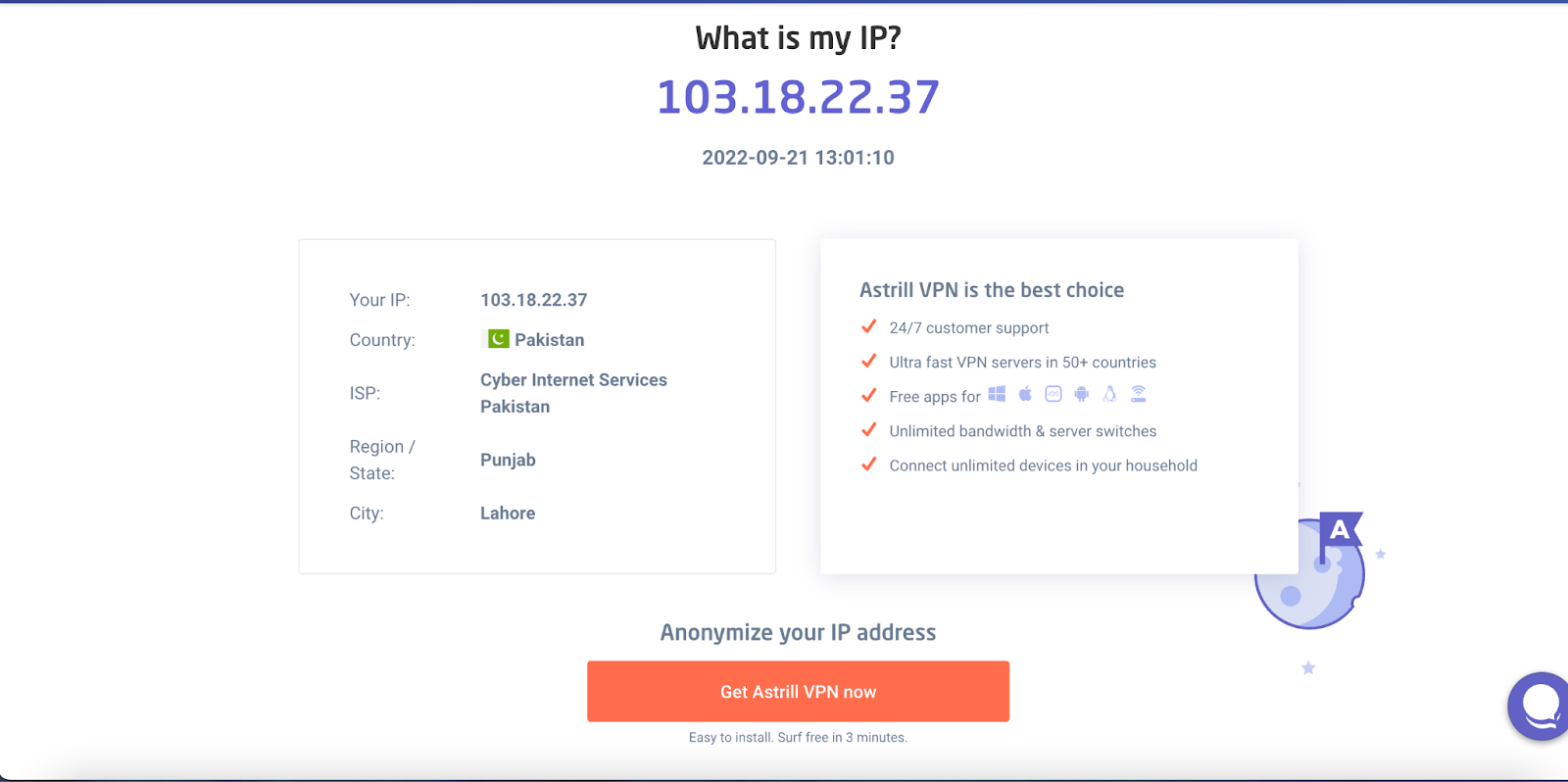
Astrill VPN provides the best tool for finding your own IP address. Visit Astrill website to view your own IP address. It provides you the best secure browsing experience.
What Your IP Address Can’t Tell Someone
An IP address looks alarming once you know what it can expose, but it has real limits. Knowing what it can’t reveal is just as useful as knowing what it can, since it separates the genuine risks from the myths.
It doesn’t reveal your name
An IP address is tied to your internet service provider, not to you personally. Your ISP knows which customer an address belongs to at a given time, but that link is private account data. Nobody can look up a name from an IP address the way they’d look up a name from a phone number.
It doesn’t reveal your exact address
An IP address can point to a city, region, or ZIP code because that’s how ISPs allocate address blocks geographically. It cannot pinpoint a street, building, or apartment. Anyone claiming they can locate your front door from your IP alone is either guessing or combining it with other data they already have on you.
It doesn’t hand over your personal or financial information
An IP address carries no Social Security number, no bank details, no passwords, and no account credentials. It isn’t classified as personally identifiable information on its own, and a hacker can’t extract PII directly from it. Getting that kind of data requires a separate attack, like phishing or a data breach.
It doesn’t let someone see what you’re doing on your device
Your IP address shows that a connection exists between your device and a server. It doesn’t show what you typed, what you clicked, or what’s stored on your device. Seeing your browsing content requires access to your traffic itself, such as through malware or an unsecured network, not just your address.
It doesn’t give someone remote control of your computer
An IP address alone can’t be used to take over a device. It has to be paired with an actual vulnerability, like outdated software, weak passwords, or malware already installed, before an attacker can gain any real access. The IP address is the starting point for an attack, not the attack itself.
It doesn’t stay the same forever
Most home connections use dynamic IP addresses that change periodically or whenever the router restarts. Even if someone captures your current IP address, it may no longer belong to you within hours or days, which limits its usefulness to them over time.
What Can Someone Do With Your IP Address?
There are a lot of things that can go wrong if someone has your IP address, like:
1. Unauthorized Access and Attacks
Malicious actors, including hackers, can exploit your IP address to engage in illegal activities. They might attempt to compromise your device, gain unauthorized access to your accounts, or infiltrate your network.
This can lead to data breaches, unauthorized usage of your accounts, and potential financial loss. Additionally, attackers can employ your IP address to launch Distributed Denial of Service (DDoS) attacks, overwhelming websites or networks and causing disruption.
2. Online Restrictions
By identifying your IP address, malicious entities can block your access to certain online activities. This might include restricting your participation in comment sections, access to online forums, or even online gaming platforms. This targeted restriction can hinder your online experiences and limit your ability to engage with specific content or communities.
3. Tracking and Privacy Invasion
Hackers can track your internet activities using your IP address, potentially violating your online privacy. They can monitor the websites you visit, the content you interact with, and your online behavior.
This information can be used to construct a detailed profile of your online presence, which may eventually lead to identity theft, targeted phishing attacks, or the sale of your data on the dark web.
4. Location Disclosure
Your IP address can reveal your approximate geographical location. Businesses often use this information for legitimate purposes, such as delivering localized content or providing services relevant to your region. However, in the hands of malicious actors, this data could compromise your anonymity and lead to unwanted tracking or stalking.
5. Targeted Advertisements
Ad networks and websites can use your IP address to tailor advertisements to your location and preferences. This means that advertisers can deliver more relevant content to you, but it also highlights the potential for your online activities to be tracked and monitored for commercial purposes.
6. Physical Threats
Posting private information online with your IP address can expose you to physical threats. Criminals could use this information to determine your physical address and visit your home. This underscores the importance of safeguarding your personal information and online activities.
7. Government Surveillance
Under certain circumstances, governments can use IP addresses for surveillance and law enforcement purposes. While this is often done to investigate criminal activities and ensure national security, it also raises concerns about privacy, civil liberties, and the potential for abuse of power.
8. Monitor your internet activity
With specialized software, someone could track the websites you visit and monitor your online activity in real time using your IP address. However, they would not be able to see what you actually type or view on websites.
9. Launch a DDoS attack
A hacker could use your IP address to initiate a Distributed Denial of Service attack against your internet connection, potentially disrupting your internet access. However, this type of attack is uncommon for individuals.
10. Attempt to hack connected devices
If you have any devices connected to the internet without strong passwords, a hacker could potentially try to exploit them using your IP address. However, this would require additional vulnerabilities within those specific devices.
How to Know If Your IP Address Has Been Compromised
There’s no single alert that tells you your IP address has been targeted, but a combination of the signs below is usually a good indicator that something is off.
- Unusual network activity. Devices connecting to your router that you don’t recognize, or your network showing activity at times no one in your home is online.
- Sudden performance issues. Your internet slows down, drops out repeatedly, or disconnects at random, which can point to a DDoS attempt flooding your connection.
- Firewall or antivirus alerts. Repeated warnings about blocked connection attempts or intrusion attempts aimed at your network.
- Unauthorized logins. Login alerts or account activity from locations or devices you don’t recognize, especially on accounts tied to your home network.
- Unexpected data usage spikes. A jump in bandwidth use that doesn’t match your own activity can mean someone else is riding on your connection.
- Being blocked or flagged more often. Sites suddenly demanding extra CAPTCHAs, throttling your access, or blocking you outright can mean your IP address has been flagged for suspicious activity, sometimes without any wrongdoing on your part.
- Strange outbound emails or messages. Contacts reporting messages from your accounts that you never sent, which can indicate your connection or credentials have been compromised.
How to secure your IP address?
If you want to be completely anonymous on the internet, you should know how to stop others from using your IP address. Whether you are browsing the Internet or using an unsecured Wi-Fi network, your IP address is used to send and receive information. This information is often recorded and used to target ads based on your interests. However, this information can be used by hackers for malicious purposes, such as hacking your home network or placing bugs in email HTML. Fortunately, there are ways to prevent this from happening.
- The first step to prevent hackers from tracing your IP address is to make sure that your operating system is up to date. Change the privacy settings of your system to “Private”.
- One of these measures is to change your password frequently. If you use a router to forward data between networks, you should use a strong password with a mix of upper and lower characters or strings. This will protect your IP address and prevent hackers from gaining access to your computer.
- Another important step is to change your router’s administrative password. It is important to change this password because attackers are known to use default passwords that are available online. You should also ensure that your router’s firewall is set up to block ping requests from the internet.
- Use a VPN to ensure your IP address security. You can route your online data through a VPN server having its own IP address. Your device and logging information are veiled. AstrillVPN provides the best features with better pricing plans. You can opt for a business and personal VPN plan based on your own choice.
Does a VPN hide your IP Address?
Using a VPN is a good idea if you care about your privacy; it stops websites from collecting information about you. This means online advertisers can’t easily target you, and your info isn’t as readily shared with marketers by your internet provider (ISP). Also, a VPN helps keep your online activity more private from government agencies.
A VPN can also help you get around restrictions on content only available in certain countries. Many popular websites limit who can access their content based on where they are. With a VPN, your IP address is hidden, so it can look like you’re browsing from a different country and access that content.
How to Hide Your IP Address With AstrillVPN?
- Subscribe to AstrillVPN through the official website.

- Download and Install the AstrillVPN app for your device.

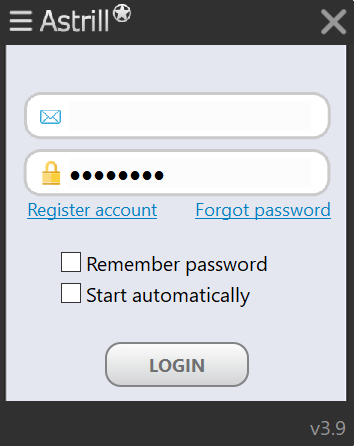
- Open the app and Log in using your username and password.
- Select a server of your choice from the servers dropdown list.
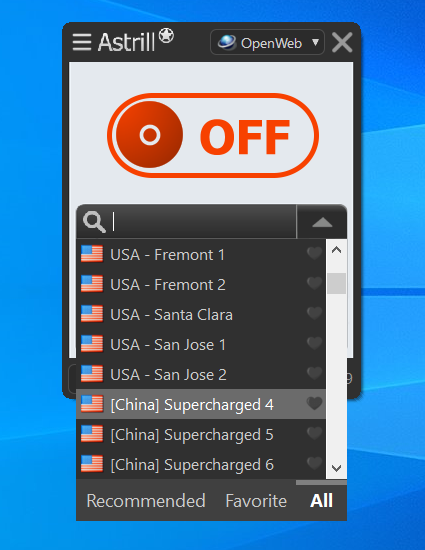
- Toggle the power button to turn on the connection.
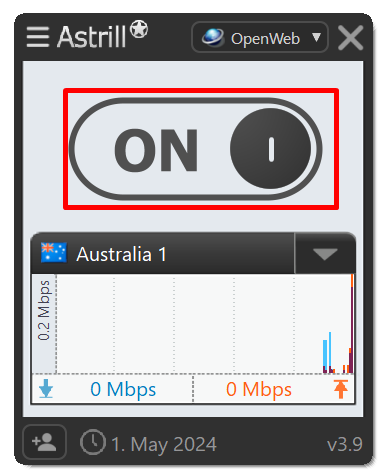
- Now check your IP through Astrill’s What is my IP tool.

You’ll notice that your IP will appear differently now, which means that no one will be able to track your actual location.
The Bottom line
While IP addresses are not usually used to harm you, they can be used by malicious people to track you and gather information. There are many legitimate organizations that collect IP address information, and many of them do so legally. Nevertheless, there are many illegal individuals who try to use this information to harm you.
Your IP address is connected to your internet service provider. This makes it easy for hackers and other threat actors to track you down and obtain personal information. They can also use this information to target you with phishing or social engineering attacks so it’s better to protect your IP address privacy.
Faqs:
Can someone find your home address from your IP address?
While someone could potentially find a general location from your IP address, it is very difficult for them to pinpoint your exact home address unless they had a legal reason and court order to request your information from your ISP.
Is tracing an IP address illegal?
Tracing an IP address is legal, but only in limited cases. The IP address of an individual is considered personal information, whereas an IP address belonging to a business is considered public information.
However, the legality of tracing an IP address depends on the context and the intent behind it.
Does a VPN change your IP?
The short answer is yes, a VPN does change your IP address. When you connect to a VPN, all of your internet traffic is routed through the VPN’s server. This VPN server then assigns you a different IP address, usually one that belongs to the VPN provider.
Should I be worried if someone has my IP Address?
The main concern is that someone with your IP address could launch a cyber attack against your internet connection, like a denial of service attack that attempts to overwhelm your internet and knock you offline. However, these types of attacks are generally uncommon and targeted at businesses, not individuals.

Secure your privacy instantly. Try AstrillVPN with zero risk.
About The Author











No comments were posted yet