




What Is a CAPTCHA Code? How It Protects You From Bots and Cyberattacks

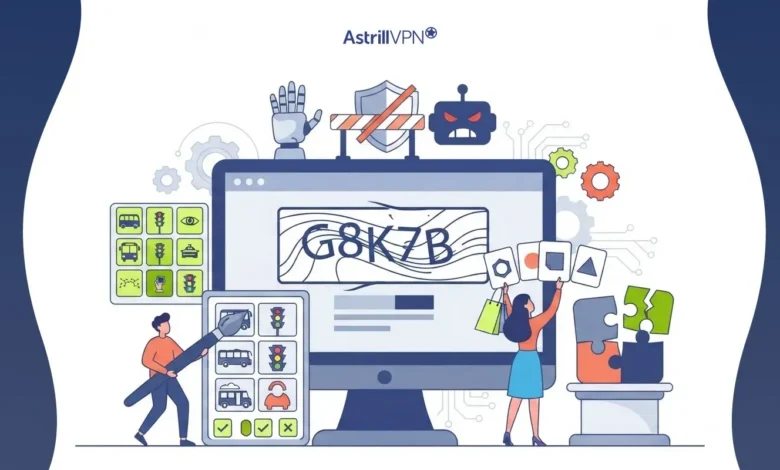
If you’ve been faced with identifying a red light among many others, typing a string of distorted letters, or simply clicking to agree that “I’m not a robot,” then you’ve already encountered a CAPTCHA. It uses CAPTCHA technology as one of the best online security features, distinguishing regular human users on the web from bots.
Besides cyber threats getting rampant, CAPTCHA still stands tall as one of the key defenses for businesses, online shops, bank sites, and social platforms. Cloudflare’s latest research shows that bots generate at least 30% of the World Wide Web’s content. In other words, protecting websites from bots is now more vital than ever. The Imperva Bad Bot Report, in fact, found that bots could account for up to 50% of a year’s total web traffic, while Google reCAPTCHA helps safeguard millions of websites from spam and hackers. We have put together this article to explain in detail what a CAPTCHA code is, how it functions, what kinds of CAPTCHAs exist, which ones have been proven most effective against bots, and the latest replacements in the game today that offer enhanced bot protection.
Table of Contents
What Is a CAPTCHA Code?
A CAPTCHA code is a security test designed to determine whether the user interacting with a website is a human or an automated program (bot).
The term CAPTCHA stands for:
Completely Automated Public Turing Test to Tell Computers and Humans Apart.
The purpose of a CAPTCHA code is to prevent bots from:
- Creating fake accounts
- Sending spam messages
- Performing credential stuffing attacks
- Scraping website data
- Launching brute-force login attempts
- Submitting fraudulent online forms
Humans can usually solve CAPTCHA tests quickly, while automated bots find them significantly more difficult.
What Is a CAPTCHA Challenge?
A CAPTCHA challenge is the actual task presented to a website visitor to verify that they are human. Instead of simply allowing anyone to submit a form or log in, websites ask users to complete a short verification exercise. Once the website is completed, it grants access or processes the user’s request.
Common CAPTCHA challenges include:
- Typing distorted letters or numbers
- Selecting all images containing cars or bicycles
- Solving a simple math equation
- Dragging a puzzle piece into place
- Clicking a checkbox confirming “I’m not a robot”
What Is a CAPTCHA Challenge Response?
A CAPTCHA challenge response is the answer submitted by the user after completing the CAPTCHA test.
For example:
Challenge: Select all images containing crosswalks.
Response: The user selects the correct images and submits them.
The website verifies the response using its CAPTCHA provider. If the answer is correct, the user is allowed to continue. If incorrect, another challenge may appear. The challenge-response process typically happens within seconds and is automated behind the scenes.
CAPTCHA Code
A CAPTCHA code may consist of:
- Random letters
- Numbers
- Symbols
- Mixed uppercase and lowercase characters
For example:
K8M7Xp or 5GQ4NZ
These codes are intentionally distorted with:
- Curved lines
- Noise
- Background patterns
- Rotated characters
The distortion makes it difficult for optical character recognition (OCR) software and bots to interpret the code accurately.
What Are Common Examples of CAPTCHA?
Many websites use CAPTCHA in different ways depending on their security needs.
Common examples include:
- Image selection CAPTCHA
- Distorted text CAPTCHA
- Audio CAPTCHA
- Checkbox CAPTCHA
- Math-based CAPTCHA
- Drag-and-drop CAPTCHA
- Sliding puzzle CAPTCHA
- Behavioral CAPTCHA
- Invisible CAPTCHA
Each method aims to stop bots while minimizing inconvenience for legitimate users.
Here are some common CAPTCHA examples users encounter online.
Image CAPTCHA
Instruction:
“Select every image containing a traffic light.”
Users click the correct images before continuing.
Text CAPTCHA
Users enter a distorted sequence such as:
T9hP5K into the input box.
Checkbox CAPTCHA
A user simply checks:
I’m not a robot
Behind the scenes, the system evaluates browser behavior, mouse movement, browsing history, and other signals to determine whether the user appears human.
Math CAPTCHA
Example:
7 + 9 = ?
Answer:
16
What are the different types of CAPTCHA?
The following are different types of CAPTCHA.
Text CAPTCHA
Users type distorted characters displayed in an image.
Advantages
- Easy to implement
- Lightweight
Disadvantages
- Can frustrate users
- Difficult for visually impaired visitors
Image CAPTCHA
Users identify specific objects within multiple images.
Examples include:
- Cars
- Buses
- Fire hydrants
- Bicycles
- Crosswalks
These are among the most widely used CAPTCHA formats today.
Audio CAPTCHA
Audio CAPTCHA reads numbers or letters aloud, helping visually impaired users complete verification. However, poor audio quality or background noise can make them difficult to solve.
Math CAPTCHA
Users solve simple arithmetic problems. These CAPTCHA are fast but generally offer lower security than more advanced methods.
Example:
12 + 5 = 17
Behavioral CAPTCHA
Behavior-based CAPTCHA analyzes:
- Mouse movements
- Scrolling patterns
- Typing speed
- Touch gestures
- Browser behavior
Users may not even realize verification is taking place.
Invisible CAPTCHA
Invisible CAPTCHA works entirely in the background. Instead of showing puzzles, it analyzes user behavior and device signals before deciding whether additional verification is needed. This approach improves user experience while maintaining security.
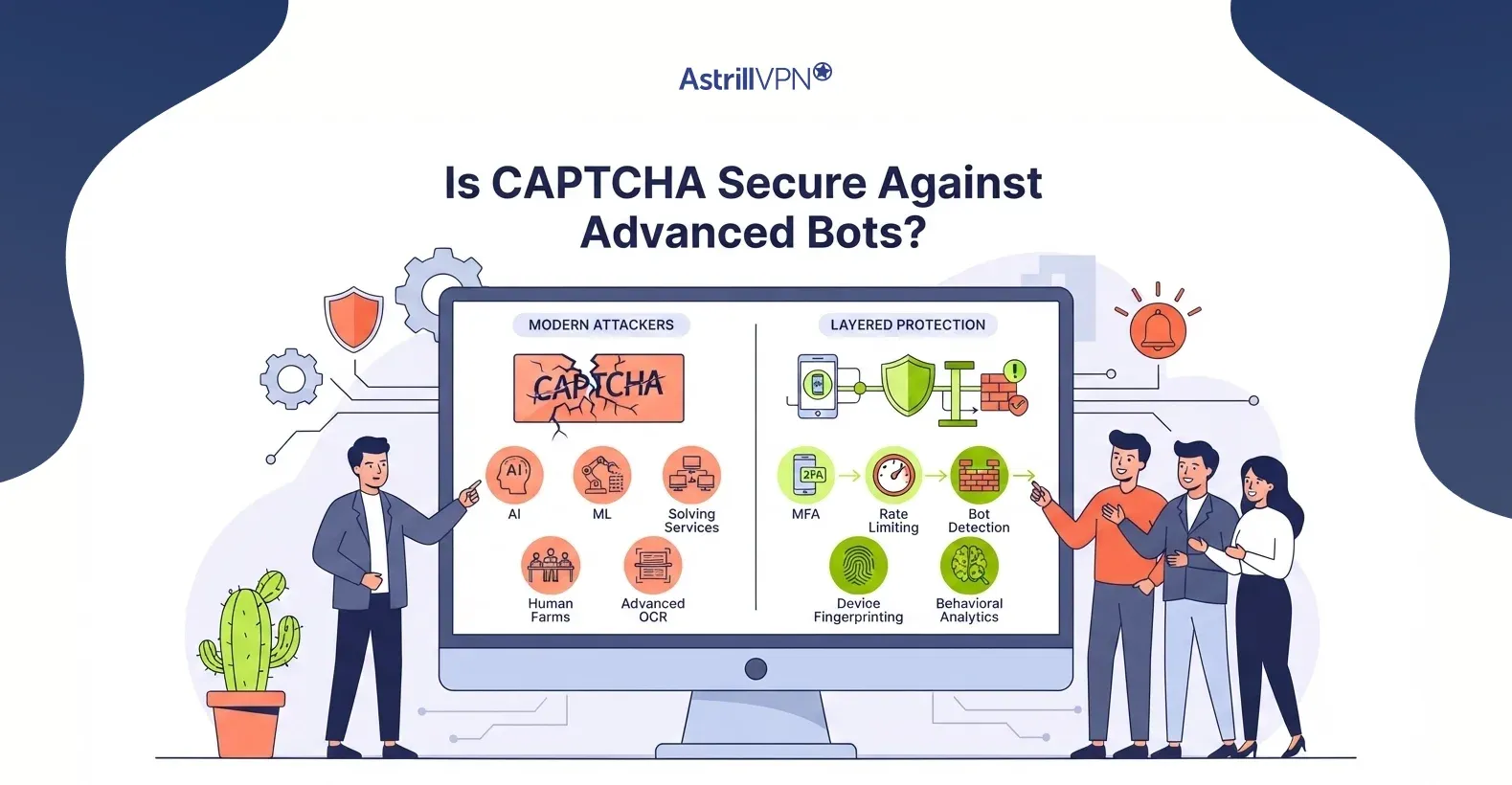
Is CAPTCHA Secure Against Advanced Bots?
CAPTCHA remains an effective security layer, but it is no longer foolproof.
Modern attackers use:
- Artificial intelligence
- Machine learning
- CAPTCHA-solving services
- Human farms
- Advanced OCR software
As these technologies improve, some traditional CAPTCHA systems become easier to bypass. For this reason, security experts recommend combining CAPTCHA with additional protections such as:
- Multi-factor authentication (MFA)
- Rate limiting
- Bot detection
- Device fingerprinting
- Behavioral analytics
A layered security approach provides much stronger protection than CAPTCHA alone.
What is reCAPTCHA and How Is It Different?
reCAPTCHA is Google’s advanced CAPTCHA service.
Unlike traditional CAPTCHAs that rely primarily on puzzles, reCAPTCHA analyzes numerous signals, including:
- Mouse movement
- Browser history
- Device characteristics
- IP reputation
- Interaction patterns
Versions include:
reCAPTCHA v2
Displays:
- Checkbox verification
- Image selection challenges
reCAPTCHA v3
Works invisibly by assigning users a risk score without interrupting most browsing sessions. This significantly improves the user experience while still detecting suspicious activity.
Can Hackers bypass CAPTCHA?
Yes. Although CAPTCHA increases security, determined attackers can sometimes bypass it using:
- AI-powered image recognition
- Machine learning algorithms
- CAPTCHA-solving APIs
- Human solving services
- Browser automation tools
However, bypassing modern CAPTCHA systems is often expensive, slower, and less reliable than attacking websites without CAPTCHA protection. Regularly updating CAPTCHA technology and combining it with other security measures makes successful attacks much more difficult.
What Are Alternatives to CAPTCHA?
Many organizations are moving toward more user-friendly bot protection methods.
Popular alternatives include:
Behavioral Biometrics
Analyze how users naturally interact with a device, including typing rhythm, mouse movement, and touch patterns.
Device Fingerprinting
Creates a unique profile using browser, operating system, screen resolution, installed fonts, and other device characteristics.
Multi-Factor Authentication (MFA)
Requires users to verify their identity using a second authentication factor, such as a one-time password or authentication app.
Passkeys
Passwordless authentication based on cryptographic credentials stored securely on trusted devices.
Risk-Based Authentication
Evaluates contextual factors such as login location, device reputation, and unusual behavior before requesting additional verification.
Honeypot Fields
Hidden form fields that humans never see but automated bots often complete, allowing websites to detect and block automated submissions. These alternatives often provide stronger security while reducing friction for legitimate users.
FAQs
Here are some of the most frequently asked questions.
Common CAPTCHA examples include image selection tests, distorted text, audio CAPTCHAs, checkbox verification, math problems, drag-and-drop puzzles, and invisible behavioral CAPTCHAs.
The main types are:
Text CAPTCHA
Image CAPTCHA
Audio CAPTCHA
Math CAPTCHA
Checkbox CAPTCHA
Behavioral CAPTCHA
Invisible CAPTCHA
Sliding puzzle CAPTCHA
CAPTCHA is effective against many automated attacks but is not completely immune to advanced AI-powered bots. Combining CAPTCHA with MFA, rate limiting, and behavioral analytics provides stronger protection.

Secure your privacy instantly. Try AstrillVPN with zero risk.
About The Author










No comments were posted yet