




Packet Sniffing Explained: Risks, Uses & Protection Tips


In the digital age, your online security is paramount. Yet, lurking in the shadows of the internet is a threat you may not be aware of: packet sniffing. This powerful technique allows cybercriminals to intercept and analyze data transmitted over a network, potentially exposing your sensitive information. As you navigate the online world, understanding packet sniffing is crucial for protecting yourself and your data. This article will unmask the risks associated with packet sniffing attacks, explore how hackers exploit this method, and equip you with effective countermeasures. By the end, you’ll be better prepared to safeguard your digital presence against this stealthy form of cybercrime.
Table of Contents
What is Packet Sniffing?
Packet sniffing, also known as network packet analysis or protocol analysis, is the process of intercepting and examining data packets as they travel across a computer network. This technique allows for the capture and interpretation of network traffic in real time, providing valuable insights into the flow of information between devices.
How Packet Sniffing Works?
At its core, packet sniffing involves capturing raw binary data from a network interface and decoding it into a human-readable format. Specialized software, called packet sniffers or network analyzers, performs this task. These tools can capture various types of network traffic, including emails, web requests, and file transfers.
Types of Packet Sniffing: Active vs. Passive
However, different methods of sniffing attacks exist. Most of them can be categorized by asking one question: Does the attacker sit quietly and listen to the network traffic or does he or she force the victim’s data to travel over the network by forcing traffic?
Passive Sniffing
Passive sniffing involves an attacker capturing traffic to connect to a shared network segment and putting a network card into promiscuous mode to capture all traffic that travels over the network. The attacker doesn’t send any packets and attempts to capture only any information that is sent over the network and is unencrypted.
For this type of attack to be successful traffic must reach every connected device on the network. For example, old hub-based LANs, unencrypted wireless LANs, and shared residential networks where client isolation has been disabled on the access point. An example of such a network would be an apartment building or dorms where everyone connects to the same access point. In this case of a resident running a sniffing tool he would be able to capture the unencrypted traffic of his neighbors.
Since the attacker sends no packets, a passive sniffing attack typically leaves very little evidence of its occurrence. The only way to detect it is to enable monitoring tools to alert when such an attack occurs. Such an attack could potentially be left sitting on a network for months collecting users’ logon credentials before being discovered.
Active Sniffing
To sniff switched networks, the attacker must manipulate the network to forward traffic to them. This can be done in several ways. In order to make it easy to explain, all methods can be divided into two main categories: inboxing and outboxing.
The common methods:
- ARP poisoning: the attacker sends forged ARP replies so devices on the LAN map the gateway IP to the attacker’s MAC address. Traffic then routes through the attacker on its way out.
- MAC flooding: the switch gets flooded with fabricated MAC addresses until its CAM table overflows. Many switches then fail open and broadcast to every port, turning a switch back into a hub.
- DNS spoofing: forged DNS responses point the target at a server the attacker controls, putting them in the middle of the session.
- Rogue DHCP: the attacker answers DHCP requests faster than the real server and hands out its own address as the default gateway.
Legitimate Uses and Potential Risks
While packet sniffing is a crucial tool for network administrators to troubleshoot connectivity issues and monitor network performance, malicious actors can also exploit it. Cybercriminals may use packet sniffing to intercept sensitive information such as passwords, credit card numbers, or confidential business data, posing significant security risks to individuals and organizations alike.
How Hackers Use Packet Sniffers to Launch Attacks?
Packet sniffers are powerful tools that hackers exploit to intercept and analyze network traffic, potentially compromising sensitive information. These malicious actors employ various techniques to maximize the effectiveness of their attacks.
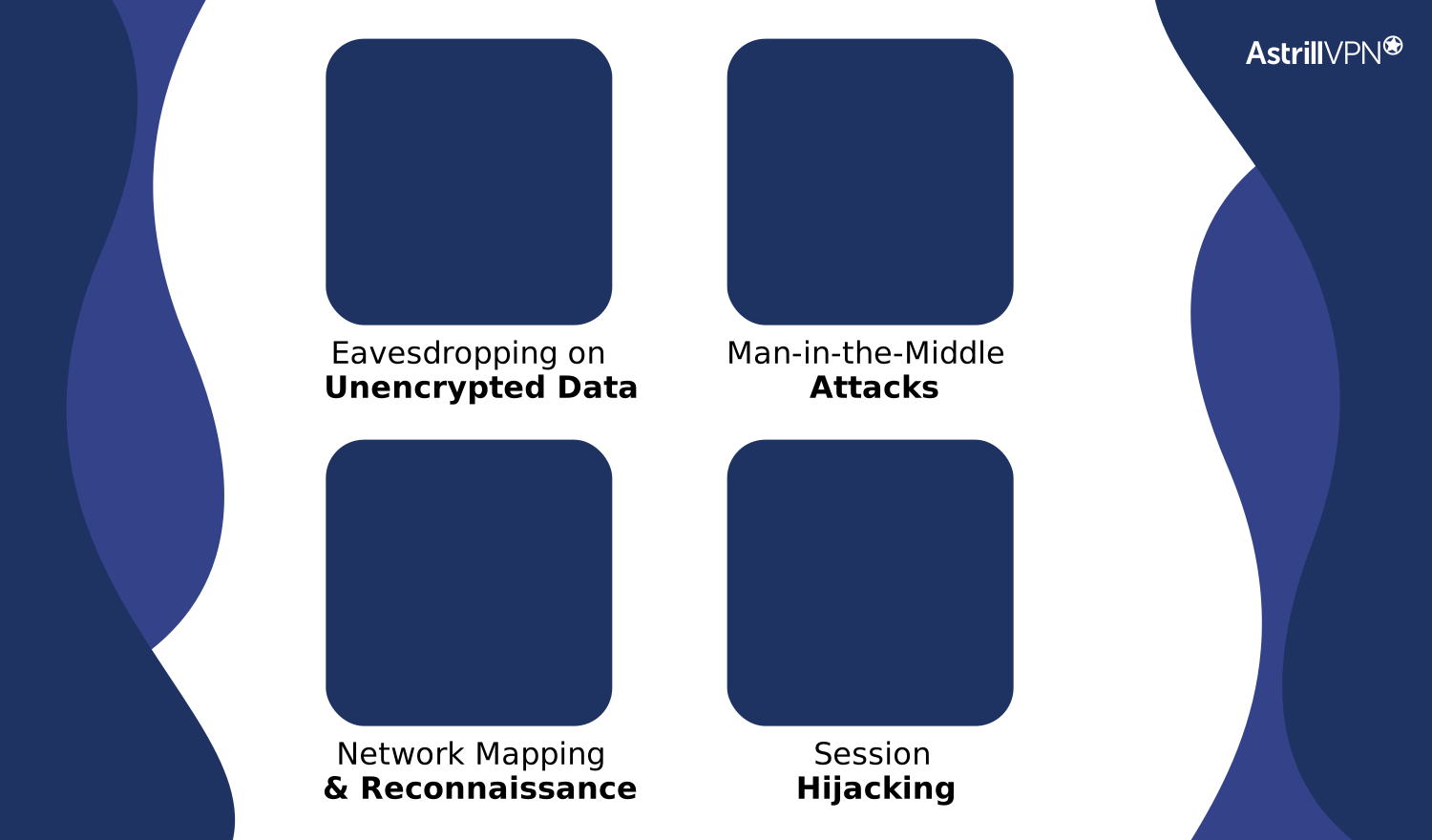
Eavesdropping on Unencrypted Data
Hackers often target networks with weak or no encryption, allowing them to easily capture and read data in transit. This can include login credentials, emails, and other confidential information.
Man-in-the-Middle Attacks
By positioning themselves between two communicating parties, attackers can intercept and modify data packets. This enables them to steal information or inject malicious content without detection.
Network Mapping and Reconnaissance
Packet sniffers help hackers gather valuable intelligence about network infrastructure, including IP addresses, open ports, and active services. This information is crucial for planning more sophisticated attacks.
Session Hijacking
By capturing authentication tokens or cookies through session hijacking, attackers can impersonate legitimate users and gain unauthorized access to accounts or systems.
Understanding these tactics is essential for implementing effective countermeasures and safeguarding your network against packet sniffing threats.
The Risks of Packet Sniffing: Compromised Privacy and Security
Packet sniffing poses significant threats to both individual privacy and organizational security. When malicious actors intercept network traffic, they gain unauthorized access to sensitive information, potentially leading to devastating consequences.
Data Theft and Exploitation
Cybercriminals can capture unencrypted data, including login credentials, financial information, and personal details. This stolen data may be used for identity theft, financial fraud, or sold on the dark web. Even encrypted data isn’t entirely safe, as sophisticated attackers can employ techniques to decrypt captured packets.
Network Vulnerabilities Exposed
Packet sniffing allows hackers to map network topologies and identify potential weak points. This reconnaissance enables them to plan more targeted attacks, exploiting discovered vulnerabilities to gain deeper access to systems and data.
Corporate Espionage and Competitive Disadvantage
In business environments, packet sniffing can lead to the theft of trade secrets, client information, and strategic plans. This compromised data may result in significant financial losses, damaged reputations, and loss of competitive edge in the market.
Packet Sniffing Tools Attackers and Network Admins Both Use
There is no separate category of criminal sniffing software. The same tools that let a network engineer trace a failing link let an attacker collect credentials off an open Wi-Fi network. Most are free, most are open source, and none of them are malicious by design. Authorization is the only thing separating the two uses.
| Tool | Type | Legitimate use | How attackers use it |
|---|---|---|---|
| Wireshark | GUI protocol analyzer, cross-platform | Deep packet inspection, protocol troubleshooting, incident forensics | Reading credentials from unencrypted sessions, reconstructing file transfers and chats |
| tcpdump | Command line capture, Linux and macOS | Lightweight capture on servers and headless machines | Quiet capture from a compromised host with no GUI footprint |
| tshark | Command line Wireshark | Scripted capture and automated analysis pipelines | Writing captures to file for offline analysis elsewhere |
| Ettercap | Active MITM framework | Testing ARP and switch defenses during authorized pentests | ARP poisoning, DNS spoofing and live credential capture |
| NetworkMiner | Passive forensic analyzer | Host discovery, session reconstruction, forensic review | Silent reconnaissance that generates zero network traffic |
| Kismet | Wireless sniffer | Wi-Fi site surveys and rogue access point detection | Capturing wireless frames and mapping nearby networks |
| Cain and Abel | Legacy sniffer and password cracker, Windows | Password recovery and auditing on older systems | Capturing password hashes and cracking them offline |
How to Detect a Packet Sniffer on Your Network
Prevention assumes you got there before the attacker did. Detection covers the case where you did not. Passive sniffers are genuinely difficult to find, but they are not invisible, and active ones announce themselves if you know what to look for.
Check for interfaces in promiscuous mode
On any machine you control, look for network cards accepting traffic that is not addressed to them. On Linux, “ip link show” flags an interface with PROMISC. On Windows, “Get-NetAdapter” reports promiscuous mode status. This only covers hosts you own, so treat it as a first sweep rather than a full answer.
Send bait traffic and watch who answers
The classic test uses a crafted ARP request sent to a MAC address no device on the network owns, addressed to a specific host’s IP. A normal network card drops the frame in hardware and never sees it. A card in promiscuous mode passes it up to the operating system, which may respond and expose itself.
The same idea works with DNS. Reference a hostname that exists nowhere except in your bait traffic, then watch for a lookup on it. A sniffer resolving hostnames it pulled from captured packets gives itself away immediately.
Watch ARP, CAM and DHCP behavior
Active sniffing shows up in the network’s own state. Look for duplicate IP-to-MAC mappings, a gateway MAC address that changes, a CAM table filling up faster than your device count justifies, or a second DHCP server answering requests. On managed switches, Dynamic ARP Inspection and port security flag or block most of this without any manual checking.
Baseline your traffic and alert on drift
Sudden latency spikes, unexplained broadcast volume, or a device generating far more DNS lookups than its role calls for are all worth chasing. An intrusion detection system tuned for ARP anomalies catches most active sniffing before it collects anything useful.
Know the limits
There is no reliable way to detect someone capturing your traffic on a network you do not own. On public Wi-Fi, at an ISP, or past a compromised router, no scan will surface them. That is precisely why encryption matters more than detection for anyone outside a managed network, and why it is worth being exact about what encryption does and does not cover.
What a Packet Sniffer Can and Cannot See on Encrypted Traffic
Most articles stop at “use encryption and you are fine.” That is close to true, and it is worth being precise, because the gap between what a sniffer captures and what it can actually read is where the real risk sits.
What encryption hides
When a site loads over HTTPS with TLS 1.3, a sniffer capturing your traffic gets ciphertext. Passwords, form submissions, page content, cookies and message bodies are unreadable. There is no practical field technique for breaking that capture. TLS 1.3 also removed the weak cipher suites that made downgrade attacks realistic, so claims that attackers routinely decrypt intercepted HTTPS traffic do not hold up.
What a sniffer still sees
Encryption protects the payload, not the envelope. From encrypted traffic alone, someone on your network can still collect:
- Every IP address you connect to, which maps back to the services and sites you use
- Your DNS queries, unless you are using DNS over HTTPS or DNS over TLS
- The hostname in the TLS handshake, unless both ends support Encrypted Client Hello
- Packet sizes, timing and volume, which are enough to fingerprint which video you are streaming or which app is running
- Anything still sent in the clear: plain HTTP, FTP, Telnet, SMTP without STARTTLS, and most unencrypted internal services
Protecting Against Packet Sniffing Attacks
Implement Encryption Protocols
- Implementing robust encryption protocols is crucial to safeguarding your network from packet sniffing attacks.
- Use HTTPS for web traffic and employ VPNs to create secure tunnels for data transmission. These measures ensure that even if packets are intercepted, the data remains unreadable to unauthorized parties.
Strengthen Network Security
- Update and patch your network infrastructure regularly to close potential vulnerabilities.
- Implement strong firewalls and intrusion detection systems to monitor and filter network traffic.
- Segment your network to limit the scope of potential breaches and utilize MAC address filtering to control device access.
Educate Users and Enforce Policies
Awareness is key in preventing packet sniffing attacks.
- Train employees on safe browsing habits and the importance of using secure connections.
- Implement and enforce strict security policies, including the use of strong, unique passwords and multi-factor authentication.
- Regularly audit network usage to detect any suspicious activities promptly.
Understanding the Legal Implications of Packet Sniffing
The Gray Area of Network Analysis
Packet sniffing occupies a complex legal landscape. While it’s a legitimate tool for network administrators, its use can quickly cross into illegal territory. In the United States, the legality of packet sniffing hinges on factors like intent, authorization, and the nature of the captured data.
When Packet Sniffing Becomes Illegal
Unauthorized interception of electronic communications violates the Electronic Communications Privacy Act (ECPA). This includes capturing emails, instant messages, or financial transactions without consent. Penalties can be severe, including fines and imprisonment. However, exceptions exist for network administrators performing their duties and law enforcement with proper warrants.
Ethical Considerations and Best Practices
Even when legal, packet sniffing raises ethical concerns. Organizations should implement clear policies governing its use. Best practices include obtaining explicit consent, limiting data capture to necessary information, and ensuring proper data protection. By adhering to these guidelines, network professionals can harness the power of packet sniffing while respecting privacy and legal boundaries.
How AstrillVPN protects you from Packet sniffing?
A VPN does one specific thing against packet sniffing, and it does it well.
When you connect through AstrillVPN, everything leaving your device is encrypted before it touches the local network. Someone sniffing the coffee shop Wi-Fi, the hotel LAN or the shared line in your building captures your packets and gets ciphertext addressed to a VPN server. No hostnames, no DNS queries, no browsing pattern, and no plaintext from apps that would otherwise send it in the clear. That closes the single most common sniffing scenario: an attacker sitting on the same local network as you.
The features that matter here
- StealthVPN and OpenWeb: keep the tunnel from being identified as VPN traffic, which matters on networks using deep packet inspection to spot and block encrypted tunnels.
- DNS leak protection: routes lookups through the tunnel so your queries are not readable on the local network. DNS leaks are the most common way a VPN user still exposes browsing activity to a sniffer.
- Kill Switch: cuts your connection if the tunnel drops, so traffic never falls back onto the unprotected network mid-session.
- Multi-hop: routes through a second server for anyone who wants the VPN provider itself to see less.
Regular Security Audits
To stay ahead of evolving threats, AstrillVPN conducts frequent security audits. This proactive approach ensures that their defenses remain impenetrable against the latest packet sniffing techniques, providing you with peace of mind as you browse, stream, or conduct business online.
Enjoy Secure and Fast Browsing with AstrillVPN
Signup Now
Examples of Packet Sniffing
Packet sniffing can manifest in various forms, each with its own potential risks and applications. Here are some common examples:
Network Troubleshooting
IT professionals often use packet sniffers legitimately to diagnose network issues. By analyzing packet data, they can identify bottlenecks, detect faulty hardware, or pinpoint configuration problems. This helps maintain optimal network performance and quickly resolve connectivity issues.
Security Auditing
Cybersecurity experts employ packet sniffing tools to test network vulnerabilities. They simulate attacks to identify weak points in the system and ensure robust security measures are in place. This proactive approach helps organizations strengthen their defenses against potential threats.
Malicious Data Interception
Unfortunately, cybercriminals also leverage packet sniffing for nefarious purposes. They may intercept unencrypted data transmitted over public Wi-Fi networks, potentially capturing sensitive information like login credentials or financial details. This underscores the importance of using encrypted connections, especially on public networks.
Conclusion
By intercepting and analyzing data packets, malicious actors can gain unauthorized access to sensitive information. However, armed with knowledge about packet sniffing techniques and countermeasures, you can take proactive steps to protect your networks and data. Implement encryption, use secure protocols, and regularly monitor network traffic to detect suspicious activity.
Stay vigilant and keep your security measures up-to-date, as packet sniffing tools and techniques continue to evolve. By maintaining a strong security posture and educating yourself about emerging threats, you can effectively mitigate the risks associated with packet sniffing and safeguard your digital assets.
FAQs
Packet sniffing is a type of network eavesdropping attack. These passive attacks intercept data transmitted over a network without altering it. Sniffing exploits vulnerabilities in network protocols, allowing attackers to capture sensitive information in transit.
Cybercriminals utilize packet analyzer tools to:
Intercept unencrypted data like passwords and credit card numbers
Analyze network traffic patterns for vulnerabilities
Capture authentication credentials for unauthorized access
Monitor communication content between network devices
The legality of packet sniffing depends on context and jurisdiction. Generally, it’s legal when:
Used by network administrators for troubleshooting
Performed on your own network with proper authorization
Employed for security research with consent
However, unauthorized sniffing of others’ network traffic is typically illegal and can result in severe penalties.

Secure your privacy instantly. Try AstrillVPN with zero risk.
About The Author










No comments were posted yet