




VPN Kill Switch vs App Guard: What Is the Difference?

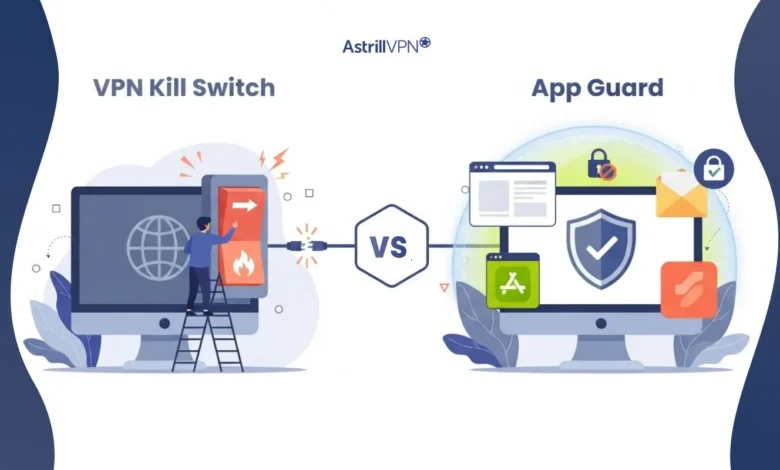
A Virtual Private Network (VPN) works by routing your Internet activity through a secure, encrypted tunnel that also hides your real IP address. However, you might wonder how it’s possible that if the connection to the server is lost, your privacy and security won’t be threatened? In fact, in such a scenario, without some form of protection, traffic from various apps could go back through your regular Internet connection. That might end with your real IP address and traffic being revealed. This is precisely why one uses a VPN kill switch.
The demand for robust network defense is increasing. According to a report from Verizon titled “Data Breach Investigations,” the exploitation of vulnerabilities as a cause for breaches was the leading factor at 31%, beating its 19-year-long history. At the same time, third-party supply chain breaches grew by 60%, further confirming the rapidly changing nature of the security world.
Astrill offers two closely related features to address potential issues with VPN connection loss: Kill Switch and App Guard. These basically stop traffic that goes outside the encrypted pipeline, but they do so in very different ways and at different levels. While Killer Switch prevents the leak of all internet traffic through your regular connection after a loss of connection, App Guard limits protection to specific software, such as a torrent client, chat application, or web browser.
Table of Contents
What Is a VPN Kill Switch?
A VPN Kill Switch is a built-in security measure that cuts off the device’s internet access if the connection to the virtual private network is suddenly lost, without the user even realizing it. Typically, your device uses the internet directly provided by your Internet Service Provider (ISP). When you connect to a VPN, your device’s traffic is sent through a virtual tunnel that your internet service provider cannot easily monitor or trace. If the connection to that tunnel is suddenly lost and your device automatically switches to its Internet connection, as it did before, you might lose your anonymity.
A kill switch mechanism will protect you from falling back to the original Internet connection. Instead of allowing traffic to flow without the protection of the virtual network, the kill switch will stop everything and only allow you to access Internet services after the connection to the virtual private network is restored, or after you have turned off the protection feature. Astrill considers its kill switch an aspect of how the feature keeps your online activity private when the connection to the virtual private network drops. The feature is available for use on Windows, macOS, and Linux.
How does AstrillVPN Kill Switch/App Guard work?
The process is relatively simple:
- Open AstrillVPN app.
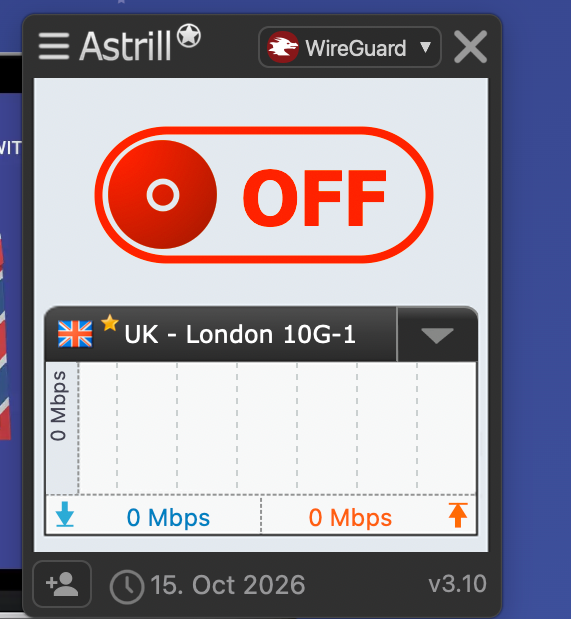
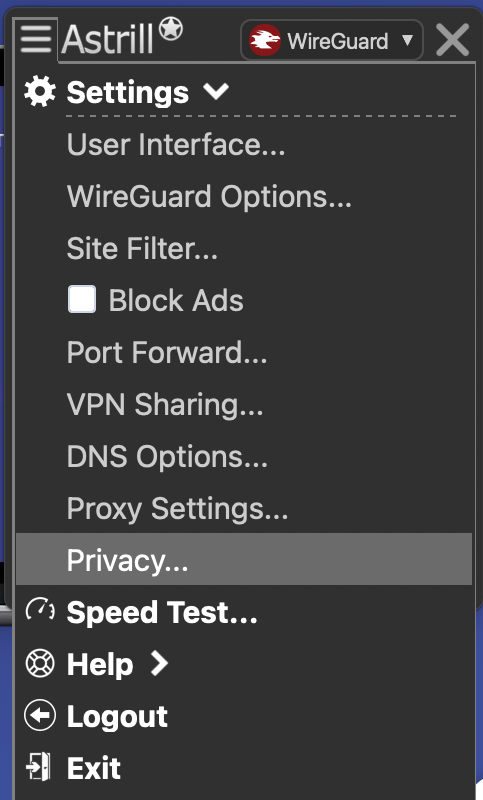
- Tap the menu bar and select “Privacy.”
- Check the Internet Kill switch box in Privacy Settings.
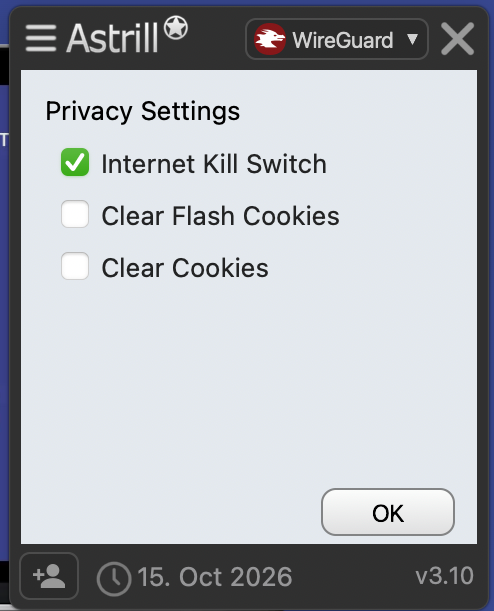
- Press OK. The Kill Switch detects the interruption. Internet access is blocked rather than allowing protected traffic to fall back to the normal connection.Once the VPN connection is restored, Internet access can resume.
- Toggle ON button for starting the VPN connection.
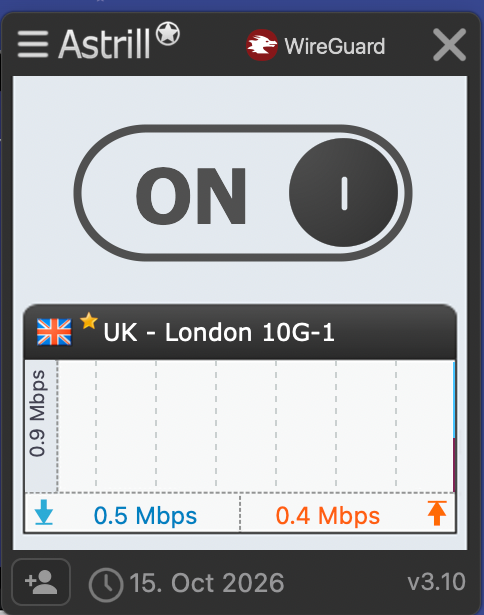
What Is Astrill App Guard?
App Guard is a more selective approach to VPN-disconnection protection. Rather than blocking Internet access on the entire device, App Guard lets you specify which applications should lose Internet connectivity if the VPN disconnects.
Astrill specifically describes App Guard as an enhanced version of its Kill Switch for Windows clients. The company says App Guard can block specific applications while allowing other applications to continue accessing the Internet normally.
For example, imagine you are using:
- A torrent client
- Chrome
- Spotify
- Slack
- An email application
You could configure App Guard to protect the torrent client while allowing your other applications to continue using the Internet if the VPN disconnects. That makes App Guard particularly useful when you do not want a VPN interruption to stop your entire Internet connection.
VPN Kill Switch vs App Guard: The Main Difference
The easiest way to understand the distinction is to think about scope.
A traditional Kill Switch takes a broad approach:
VPN fails → Internet access is blocked.
App Guard takes a targeted approach:
VPN fails → selected applications are blocked, while other applications can continue online.
| Feature | VPN Kill Switch | Astrill App Guard |
| Protection scope | Broad/device-wide | Specific applications |
| What happens after the VPN disconnects? | Internet traffic is blocked | Selected apps are blocked |
| Other applications | Can lose Internet access | Can continue working |
| Useful for torrenting | Yes | Yes |
| Useful for general privacy | Yes | Yes |
| Best for selective protection | Less flexible | Yes |
| Platform availability | Astrill desktop apps | Windows |
| Works when the Astrill desktop app is not running | Not the defining behavior | Astrill says App Guard can continue working |
| Main advantage | Maximum traffic blocking | Application-level control |
In Astrill, App Guard can remain active even when the Astrill desktop application is not running, and it is enabled automatically on system startup.
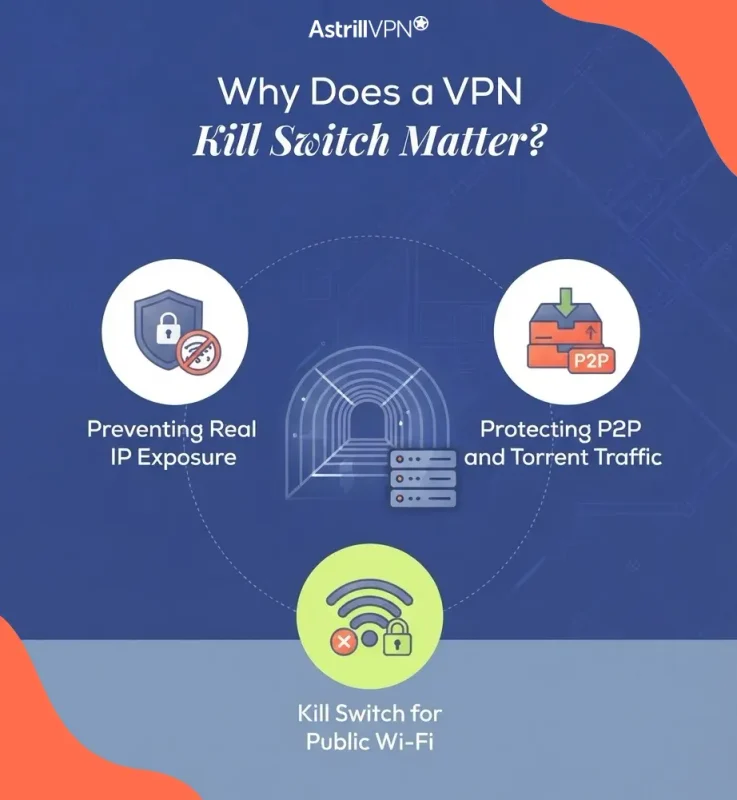
Why Does a VPN Kill Switch Matter?
A VPN connection can be interrupted for several reasons. Your Wi-Fi network may become unstable. You might switch between networks. A VPN server could become temporarily unavailable. Your device may experience a network change, or the VPN application itself may encounter a technical problem.
Without a Kill Switch, applications may continue communicating through your regular connection. This matters because the VPN’s privacy protection applies only while traffic is actually routed through the VPN.
Preventing Real IP Exposure
One of the most important reasons to use a Kill Switch is to reduce the possibility of your real IP address being exposed during an unexpected VPN disconnection. For privacy-conscious users, the VPN may be used specifically to prevent websites, services, and other Internet destinations from seeing the user’s normal public IP address. A sudden fallback to the regular connection can undermine that protection.
Protecting P2P and Torrent Traffic
Torrent users are another common use case. A torrent application can continue communicating with peers even when the VPN connection has dropped. If that happens over a normal Internet connection, the user’s regular IP address could become visible to peers.
Astrill specifically recommends considering a Kill Switch when using torrent software, given the risk of exposing your identity and activity if the VPN connection fails. App Guard can be particularly useful here because a user can protect only the torrent application while leaving unrelated applications online.
Kill Switch for Public Wi-Fi
Public Wi-Fi is another situation where maintaining consistent VPN protection can be important.
People frequently connect to networks in:
- Hotels
- Airports
- Cafés
- Restaurants
- Coworking spaces
- Libraries
- Conference venues
These networks can be less predictable than a trusted home connection.
A VPN can encrypt traffic between the device and the VPN server, but that protection depends on the VPN connection being active. A Kill Switch adds another layer by preventing Internet traffic from continuing normally after a VPN interruption. For travelers who frequently switch between Wi-Fi networks, this can be especially useful.
App Guard for Selective Protection
Not everyone wants their entire computer disconnected whenever a VPN connection fails. Imagine you are working remotely with several applications open. Your VPN disconnects unexpectedly. If a full Kill Switch blocks all Internet connectivity, you might temporarily lose access to:
- Work messaging
- Cloud applications
- Collaboration platforms
- Browsers
- Software updates
That may be inconvenient if only one application actually requires continuous VPN protection. App Guard addresses this situation by allowing you to select the applications that should be blocked when the VPN is unavailable.
When Should You Use an AstrillVPN Kill Switch?
A full Kill Switch may make sense when preventing any traffic from leaving outside the VPN is more important than maintaining Internet access.
Use a Kill Switch when:
- You want broad protection across your device.
- You do not want applications falling back to your normal connection.
- You frequently use untrusted or public Wi-Fi.
- You are traveling and frequently switching networks.
- You use a VPN primarily for privacy.
- You want stronger protection against accidental IP exposure.
- You use several privacy-sensitive applications simultaneously.
For example, a privacy-focused user could connect to a VPN before working on public Wi-Fi and enable Kill Switch protection. If the VPN connection fails, Internet connectivity is interrupted instead of silently reverting to the regular connection.
When Should You Use App Guard?
App Guard is more suitable when you need selective protection.
Use App Guard when:
- Only certain applications need VPN protection.
- You want a torrent client protected while other applications remain online.
- You need ordinary Internet access even if the VPN disconnects.
- You frequently use applications that require a direct connection.
- You want more control over which programs stop communicating after a VPN failure.
For example, you might protect a torrent client with App Guard while allowing your browser and work applications to continue operating normally. This targeted approach is one of the biggest differences between App Guard and a traditional Kill Switch.
VPN Kill Switch vs App Guard for Torrenting
Torrenting is a situation where the distinction becomes particularly practical. Suppose you are downloading through a P2P application while connected to a VPN. The VPN disconnects unexpectedly.
With a traditional Kill Switch
The broader Internet connection is blocked. This prevents the torrent application from simply switching to your regular connection.
With App Guard
You can specifically designate the torrent application for protection. If the VPN disconnects, App Guard can block that application while other applications continue using the Internet.
Astrill’s Kill Switch documentation specifically highlights torrent software as a use case for preventing exposure of identity and activity after a VPN interruption. The choice depends on whether you want whole-device protection or application-specific protection.
VPN Kill Switch vs App Guard for Public Wi-Fi
For public Wi-Fi, a broad Kill Switch can be useful when you want your device to stop communicating altogether if the VPN connection disappears. This approach reduces the chance of accidentally continuing an online session through an unprotected connection. App Guard can be useful when you only need certain applications protected.
For instance, a traveler might protect a browser application while allowing another program to remain connected normally. The important consideration is not simply whether you are using public Wi-Fi. It is how much traffic you want to prevent from leaving outside the VPN.
VPN Kill Switch vs App Guard for Remote Workers
Remote workers often have more complicated connectivity requirements.
A single computer may simultaneously run:
- Corporate VPN software
- Cloud dashboards
- Video conferencing
- Instant messaging
- Browsers
- File-sharing applications
A full Kill Switch can interrupt all connectivity if the VPN drops. App Guard provides a more granular alternative for Windows users who only need selected programs to stop communicating when the VPN becomes unavailable. This can be useful when uninterrupted connectivity is important for some applications while privacy protection is critical for others.
What About Astrill’s Application Filter?
App Guard and Application Filter are related to application-level control, but they are not the same feature. Astrill’s Application Filter lets users decide which applications use the VPN and which use the regular Internet connection—Astrill documents options such as tunneling all apps, tunneling only selected apps, and excluding selected apps. The feature is available on Windows, macOS, Linux, and Android under supported Astrill protocols. App Guard, in contrast, is specifically about what happens when the VPN connection drops.
This distinction is important:
Application Filter:
Which applications use the VPN?
App Guard:
Which applications are blocked if the VPN disconnects?
Kill Switch:
What happens to Internet connectivity when the VPN connection fails?
These features can therefore serve different purposes.
Does a Kill Switch Make a VPN Completely Secure?
No. A Kill Switch addresses one specific problem: traffic continuing outside the VPN when the VPN connection fails. It does not protect against every cybersecurity threat.
For example, it does not automatically protect you from:
- Phishing
- Malware
- Weak passwords
- Stolen credentials
- Vulnerable software
- Malicious downloads
- Social engineering
- Compromised accounts
Current threat data illustrates why multiple security layers remain important. Verizon’s 2026 DBIR reported that exploitation of vulnerabilities accounted for 31% of breaches, while mobile social-engineering attacks were found to have a 40% higher success rate than traditional email phishing in the dataset.
A VPN should therefore be considered one component of a broader security strategy rather than a replacement for endpoint security, strong authentication, software updates, and safe browsing practices.
Can a Kill Switch Prevent IP Leaks?
A properly functioning Kill Switch is designed to prevent traffic from continuing through the normal Internet connection after the VPN disconnects. However, users should not assume that every VPN privacy issue is solved simply by enabling the feature.
Other potential leak mechanisms can include:
- DNS requests
- IPv6 traffic
- WebRTC-related exposure
- Incorrect application routing
- Operating-system network behavior
- Misconfigured VPN settings
Astrill says its applications address DNS, IPv6, and WebRTC leak concerns as part of its VPN software features. (Astrill VPN)
For users who require strong privacy protection, it is worth checking their configuration and testing for leaks, rather than relying on a single setting.
How to Choose Between Kill Switch and App Guard?
Use the following checklist to determine which approach better matches your needs.
Choose Kill Switch if:
- You want broad device protection.
- You prioritize preventing any fallback traffic.
- You use public Wi-Fi frequently.
- You travel often.
- You want a simple privacy configuration.
- You use several applications that should remain behind the VPN.
Choose App Guard if:
- You use Windows.
- You only need certain applications to be protected.
- You want other applications to remain connected.
- You regularly use P2P software.
- You need granular control over Internet access.
- A complete Internet shutdown would interfere with your workflow.
How Astrill’s Kill Switch Helps?
Astrill provides Kill Switch functionality through its desktop applications, with support documented for Windows, macOS, and Linux. Its documentation states that the feature is intended to protect Internet activity if the VPN connection drops.
For Windows users, Astrill also provides App Guard as a more selective option.
The combination gives users two different approaches:
Kill Switch: broader Internet protection when the VPN fails.
App Guard: application-specific Internet blocking when the VPN fails.
This distinction gives users more flexibility depending on whether they need whole-device privacy or selective protection.
You can learn more about how Astrill’s Kill Switch works on the official Astrill VPN Kill Switch feature page.
Conclusion
A VPN Kill Switch and App Guard are designed around the same fundamental concern: what happens to your Internet traffic when the VPN connection suddenly disappears? The difference is how aggressively they respond. A VPN Kill Switch takes a broad approach by blocking Internet connectivity when the VPN connection is unavailable. This can be useful for people who prioritize preventing any traffic from falling back to their regular connection.
Astrill App Guard takes a more selective approach. On Windows, users can designate specific applications to block if the VPN disconnects while allowing other applications to remain online. For torrent users, travelers, privacy-conscious users, and people who frequently connect through public Wi-Fi, understanding this distinction can help create a VPN setup that better matches their actual needs.
Ultimately, the choice comes down to scope versus flexibility: use a Kill Switch for broad protection, and consider App Guard for application-level control.
FAQs
Here are some of the frequently asked questions.
No. A VPN Kill Switch generally blocks Internet access when the VPN connection drops, while Astrill’s App Guard lets Windows users block specific applications when the VPN disconnects. App Guard provides more selective control.
Both can help prevent a torrent application from continuing over your regular connection after a VPN failure. A Kill Switch provides broader protection, while App Guard lets you specifically protect the torrent application without necessarily interrupting other apps.
Yes. A Kill Switch is designed to respond to an unexpected VPN disconnection by blocking Internet traffic rather than allowing the device to continue through its normal connection automatically. This can help reduce the risk of accidental IP exposure.
Astrill App Guard is specifically available for Windows. Users on macOS, Linux, and other supported platforms should check Astrill’s available Kill Switch and application-routing features for their particular device.

Secure your privacy instantly. Try AstrillVPN with zero risk.
About The Author










No comments were posted yet