




How to Install and Watch Sky Sports on Firestick

Sky Sports holds the rights to Premier League football, Formula 1, cricket, golf, and more, but it is locked to UK viewers by default. If you are outside the UK, or simply want to get Sky Sports on your Firestick without paying for a full Sky TV package, the path is not immediately obvious.
This guide covers every working method: the NOW app, sideloading the Sky Sports APK, casting from Android and iOS, and accessing everything from outside the UK using a VPN. Whether you have an existing Sky subscription or are starting from scratch, you will find a setup that works for your situation.
Table of Contents
Key Features of Sky Sports
Sky Sports offers an extensive array of features that elevate the sports-watching experience. Whether you’re a die-hard football fan or an avid follower of motorsports, Sky Sports caters to your passion with its impressive offerings:

1. Live Matches and Events
The heart of Sky Sports lies in its ability to bring the thrill of live sports directly to your screen. From Premier League football clashes to the riveting battles of Formula 1, Sky Sports delivers real-time action that keeps you on the edge of your seat. Whether it’s a crucial penalty kick or a last-minute overtaking maneuver, you can witness the magic as it unfolds.
2. Comprehensive Analysis
Beyond the live action, Sky Sports provides in-depth analysis that enriches your understanding of the game. Expert pundits, former players, and seasoned commentators offer insights into each match’s strategies, tactics, and nuances. Post-match discussions dissect key moments, highlighting player performances and team dynamics.
3. High Definition Streaming
Sky Sports takes full advantage of technology, ensuring your viewing experience is as vivid as if you were in the stadium. High-definition streaming brings every detail to life, from the sweat on a player’s brow to the texture of the grass on the pitch. This clarity enhances your connection to the sport and intensifies your engagement.
4. Multisport Options
Sky Sports recognizes that sports fans have diverse interests and cater to these varied passions. You can seamlessly switch between football, cricket, rugby, golf, and other sports with multiple dedicated channels. This versatility ensures that there’s always something engaging to watch, regardless of your sport of choice.
5. Original Programming
Beyond the live matches, Sky Sports boasts a library of original programming that delves into the stories behind the athletes and teams. Documentaries, interviews, and behind-the-scenes glimpses provide a deeper understanding of the sports world, shedding light on the sacrifices, triumphs, and challenges that define the athletes’ journey.
How to Install Sky Sports on Firestick
The official Sky Sports app is not available on the Amazon App Store. But don’t worry, there are other ways of getting Sky Sports on your FireStick device:
Use the Downloader app to Watch Sky Sports on Firestick
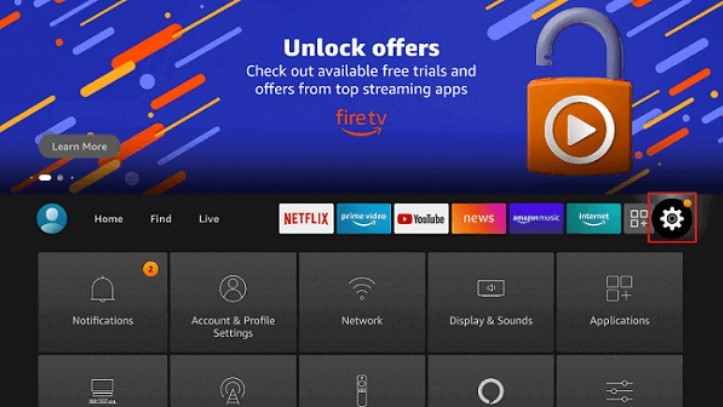
- On your Firestick TV’s home screen, click Settings.
- Then select My Fire TV in the settings menu.
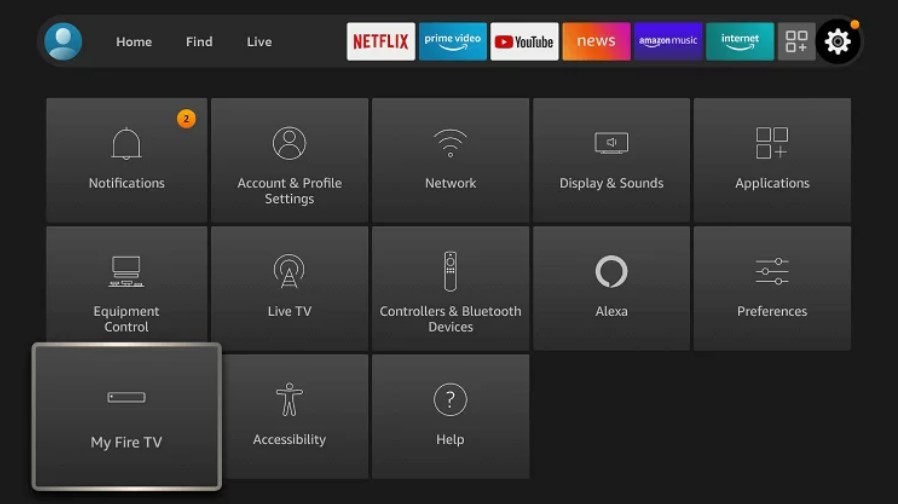
- Go to Developer Options and click on Install Unknown Apps.
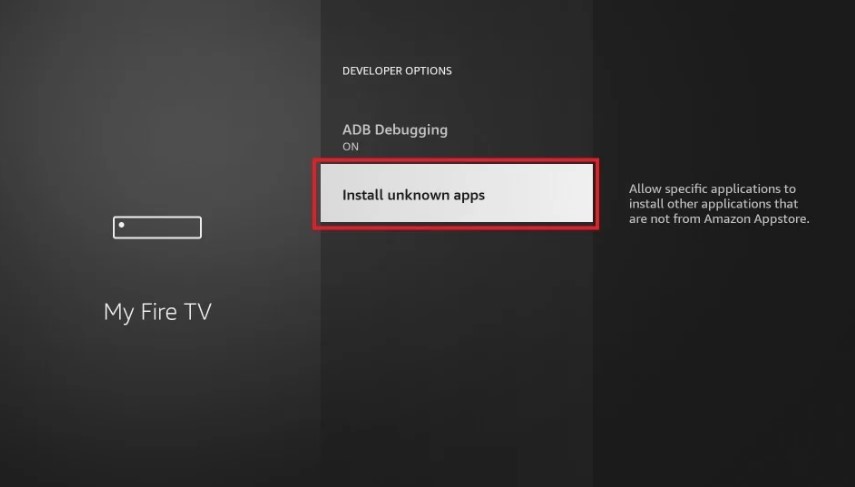
- Select the Downloader app from the listand switch it ON.
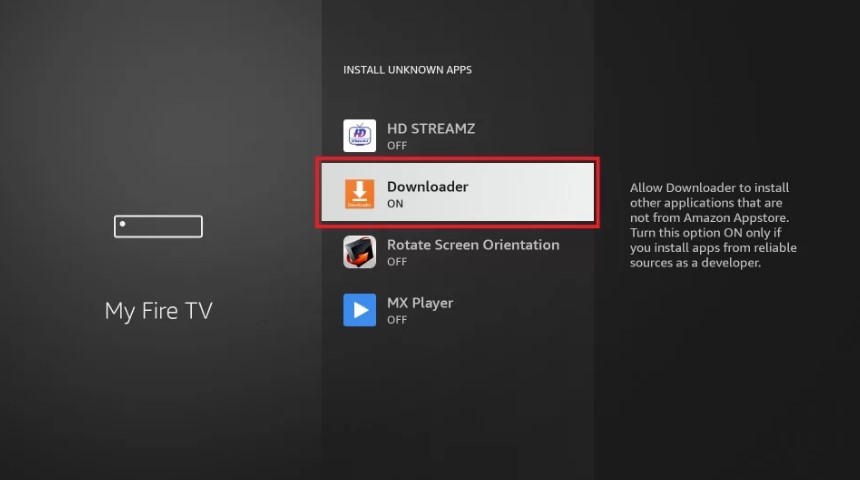
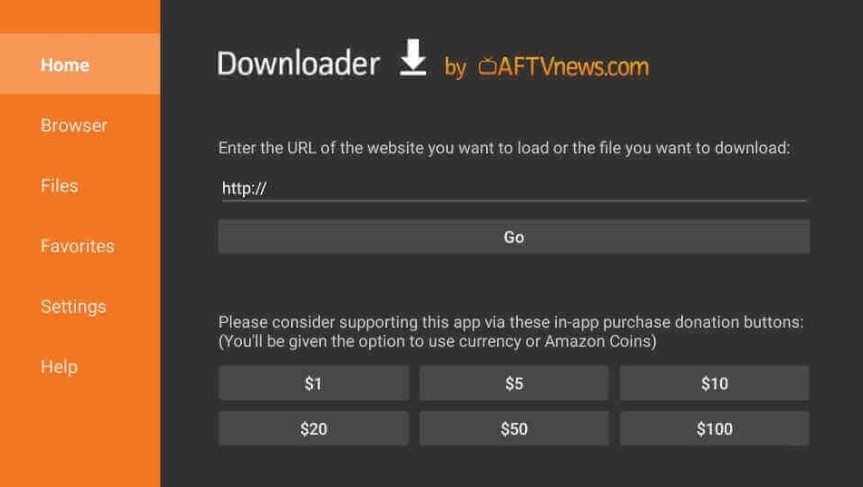
- Now open the Downloader App.
- Click Home, then enter this URL: https://bit.ly/3nNYSkB to download the Sky Sports APK, and click Go.
- Once the download completes, click Install.
- Now click Open, and the Sky Sports app will open.
Now you can stream Sky Sports easily on Fire Stick and watch your favorite sports whenever possible.
Cast Sky Sports to Firestick from Android
- Go to Firestick home
- Go to Settings
- Select Display & Sound.
- Tap Enable Display Mirroring.
- Install the Sky Sports app from the Play Store on your Android device.
- Launch the Sky Sports app on your Android.
- Sign in to your Sky Sports account.
- Play any show or live event in the app.
- Now click on the Cast icon on your Android phone’s Notification panel.
- Now you’ll see a list of available devices, choose your Firestick.
- Now you can watch Sky Sports on your Fire TV Stick.
Use the Now TV app to Watch Sky Sports on Firestick
Another way to watch Sky Sports on your Fire TV Stick device is by installing the NOW TV App from the Amazon App Store. Follow these 6 simple steps to get started:
- Go to your Firestick home screen.
- Click “Find” and then click “Search,”
- Now type “NOW TV,” and you’ll see a list of options.
- Select the NOW TV app and click “Download.”
- Once the app is downloaded, open the app.
- Log in to the app and go to Sky Sports.
There you have it! Now you can easily stream Sky Sports without any hassle.
How to Watch Sky Sports on Firestick for Free
Watch Sky Sports Free using Live NetTV on Firestick
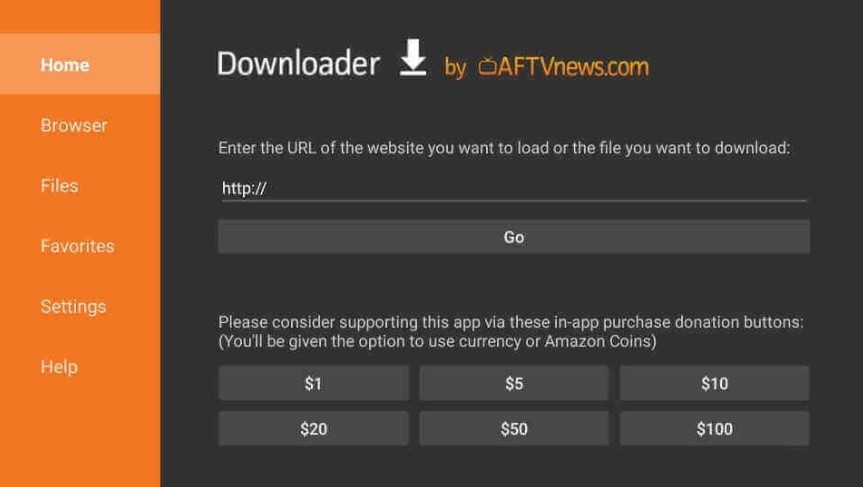
- Open the Downloader app, paste this URL: livenettv.bz, and click Go.
- Click on Download for Android from the option and the APK file will be downloaded.
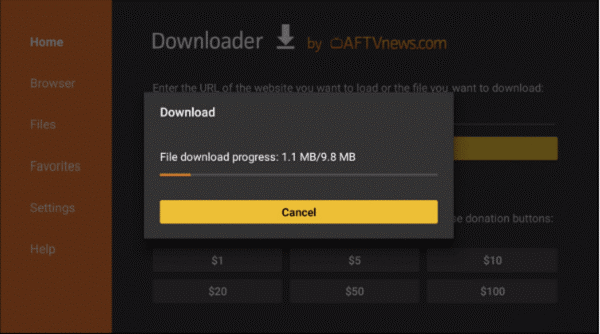
- After the download completes, click on Install and then Open.
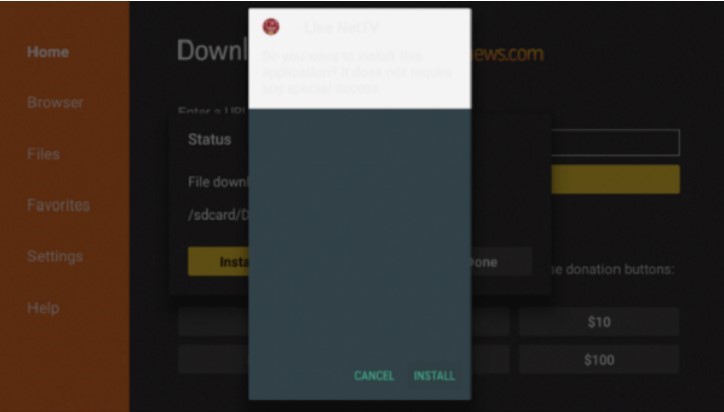
- Click the Search icon in the app.

- Type in Sky Sports and search for it. You will get a lot of options.
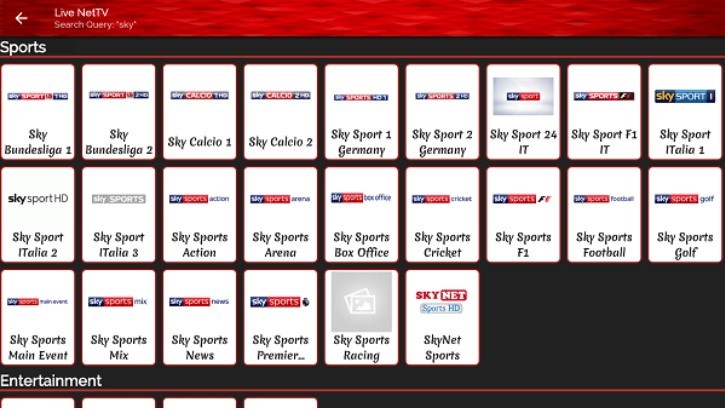
- Select the Sky Sports network of your choice.
- You will have to select a third-party video player. Choose any Player installed on your device.
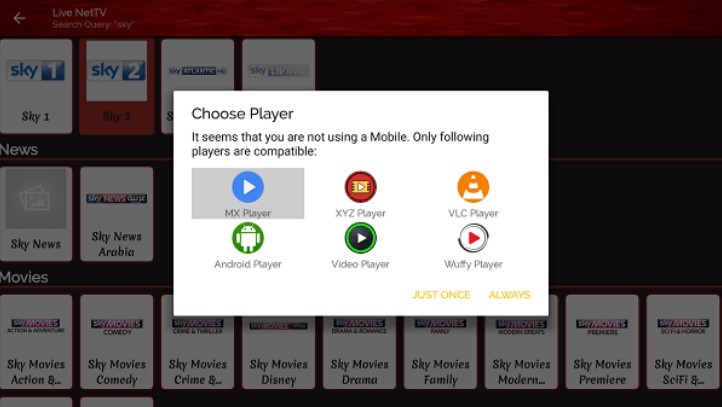
The stream will begin, and you can watch your favorite sports live for free.
Using Silk Browser to Watch Sky Sports for Free
One of the ways to watch Sky Sports on Firestick for free is by using Silk Browser. Follow these steps to stream Sky Sports free on FireStick:
1. Go to your FireStick Home Screen and click “Find.”
2. Now, click “Search” and type “Amazon Silk Browser” and then click on search.
4. Select “Amazon Silk – Web Browser” from the search results.
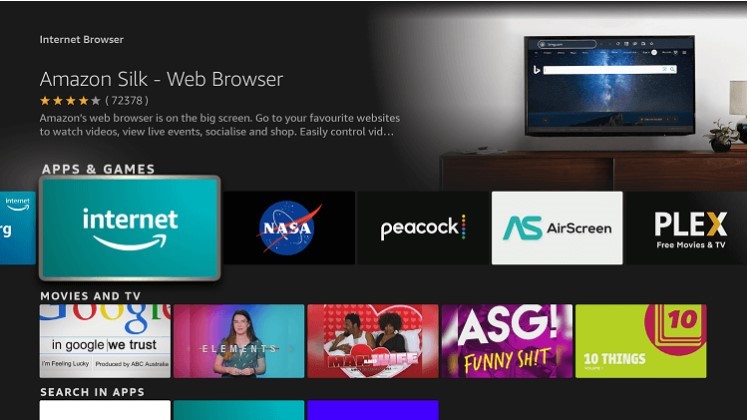
5. Now, tap Download.
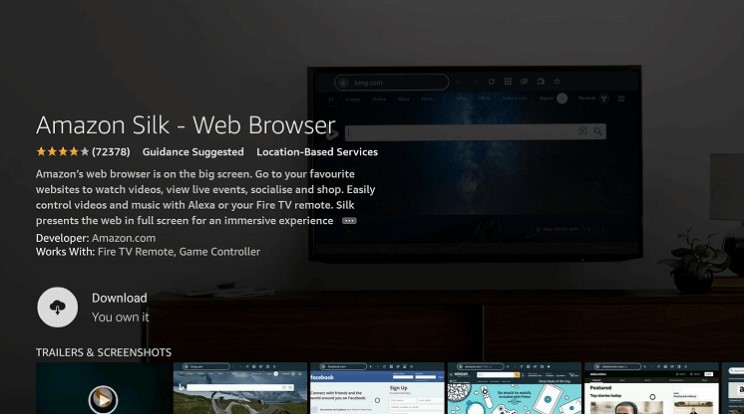
6. Open the app after it’s downloaded.
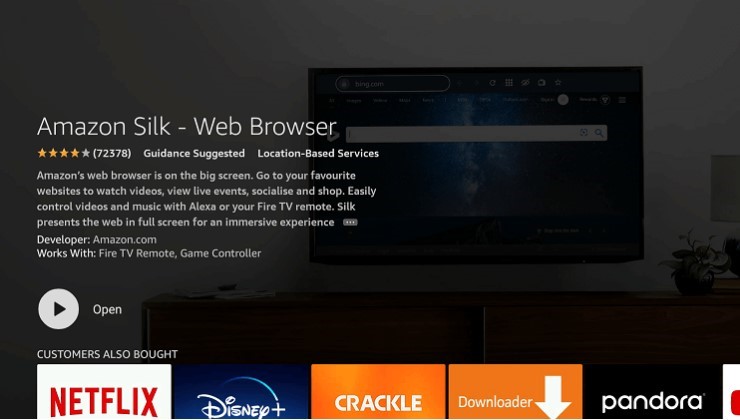
7. You’ll see this interface with a search bar up front.
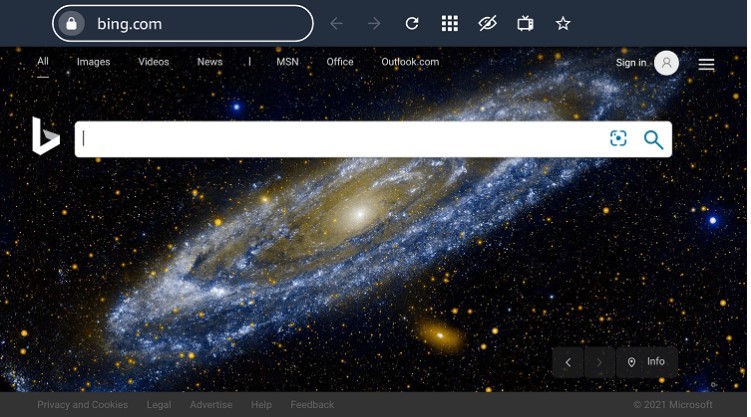
9. type this URK: bit.ly/sky-fire in the search bar and click Go.
10. A site with a list of sports channels will open.
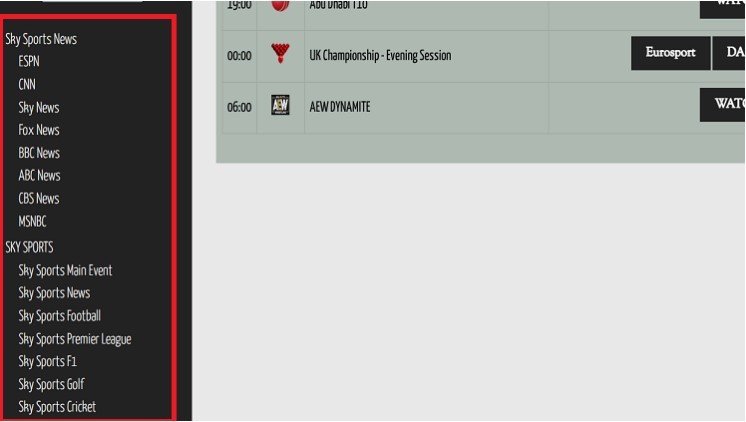
11. Choose Sky Sports from this list and start streaming.
Why Do You Need a VPN to Watch Sky Sports Outside UK?
Sky Sports is mainly available in the UK, so if you’re in the USA or anywhere outside the UK, you cannot access it directly. If you try to access Sky Sports anywhere outside the UK, you’ll see this error:
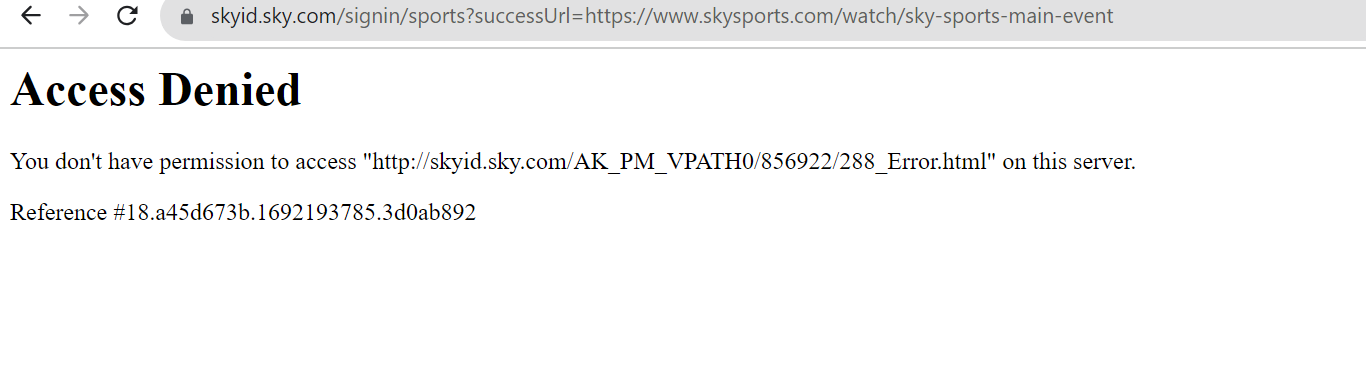
Therefore, to bypass the geo-restriction and access Sky Sports from your country, you’ll need a VPN with highly optimized UK servers.
What to Look for in a VPN for Sky Sports on Firestick
Not all VPNs can reliably unblock Sky Sports. Streaming services actively block known VPN IP addresses, which means a VPN that worked last month might not work today. Here is what actually matters when choosing one:
UK servers in multiple cities
Having only one UK server location means that if it gets flagged by Sky or NOW, you are stuck. A VPN with servers in London, Manchester, and other UK cities gives you options to switch when one stops working.
Obfuscation or stealth protocols
These disguise your VPN traffic so it looks like regular HTTPS traffic. Sky Sports and the NOW app are better at detecting standard VPN connections than they used to be. A VPN with an obfuscated mode is harder to block.
Fast enough speeds for HD streaming
Sky Sports streams at up to 1080p, which needs roughly 8-10 Mbps of stable throughput after the VPN overhead. A slow VPN will cause buffering even on a fast home connection.
A kill switch
If your VPN connection drops mid-match, a kill switch cuts your internet immediately rather than exposing your real IP to Sky. Without it, the stream can fail with a geo-restriction error and you have to restart everything.
Split tunneling
This lets you route only the Sky Sports or NOW app through the VPN, while the rest of your Firestick traffic uses your normal connection. It reduces speed loss and keeps other apps running normally.
AstrillVPN covers all of these. It offers servers in London, Gloucester, and Manchester, runs a StealthVPN protocol designed for high-detection environments, and supports split tunneling on Firestick. Private IP addresses are also available in UK locations, which are particularly resistant to streaming detection because the IP is not shared across thousands of users.
Sky Sports on Firestick Not Working? Here’s How to Fix It
Sky Sports issues on Firestick usually come down to a handful of common causes. Here is how to fix the most frequent ones.
Sky Sports buffering or lagging on Firestick
Buffering is the most common complaint and is almost always due to bandwidth or connection issues. Try these steps in order:
- Check your internet speed. You need at least 5 Mbps for standard definition, 8-10 Mbps for HD, and 25 Mbps for 4K. Run a speed test through the Silk browser on your Firestick to check what you are actually getting.
- Move closer to your router or connect via an Ethernet adapter. The Amazon Ethernet Adapter for Fire TV lets you plug your Firestick directly into your router, which eliminates Wi-Fi interference entirely.
- Reduce the video quality in the Sky Sports or NOW app settings. Dropping from HD to SD significantly reduces your bandwidth requirements.
- Close background apps on your Firestick. Press and hold the Home button, select App Manager, and force-stop any apps running in the background.
- Clear the app cache. Go to Settings, then Applications, then Manage Installed Applications. Select Sky Sports or NOW, then choose Clear Cache.
VPN not working with Sky Sports
If Sky Sports or the NOW app is showing a geo-restriction error even with your VPN connected, the server you are on may have been flagged. This is normal and fixable:
- Switch to a different UK server. In AstrillVPN, you can choose between London, Manchester, and Gloucester. Try each one until the stream works.
- Enable StealthVPN or obfuscation mode in your VPN settings. This makes your connection harder for streaming services to detect.
- Disconnect your VPN, clear the NOW or Sky Sports app cache, then reconnect before reopening the app. Old session data can cause the app to remember your previously detected location.
- Try a private IP if your VPN provider offers one. Shared IPs are blocked more frequently because many users are detected on them at once.
Sky Sports APK blocked or not installing on Firestick
Amazon has tightened its restrictions on sideloaded apps since mid-2025. If the APK install is being blocked, try the following:
- Make sure Developer Options are enabled. Go to Settings, then My Fire TV, then Developer Options, and switch on Install Unknown Apps for the Downloader app.
- Check that the APK download URL is still active. Bit.ly shortlinks to APKs expire or get taken down. If the link is dead, search for the current Sky Sports APK from a trusted Android APK repository.
- If sideloading continues to fail, switch to the NOW TV app via the Amazon App Store. It is officially supported, stable, and gives you access to all Sky Sports channels, including Sky Sports+.
Sky Sports app not loading or crashing on Firestick
If the app opens to a blank screen or crashes immediately:
- Clear the app cache and data. Go to Settings, then Applications, then Manage Installed Applications, select the app, then choose Clear Cache, then Clear Data. You will need to sign in again.
- Restart your Firestick. Hold the Select and Play/Pause buttons simultaneously for around five seconds to force a restart.
- Uninstall and reinstall the app. If you are using the NOW app, remove it from the App Store listing and reinstall fresh.
- Check whether your Firestick software is up to date. Go to Settings, then My Fire TV, then About, then Check for Updates.
Audio out of sync on Sky Sports Firestick
Audio sync issues on Firestick are often caused by the display settings or the Dolby audio pass-through setting:
- Go to Settings> Display and Sound> Audio. Switch Dolby Digital Plus to Dolby Digital or Off. This resolves most sync issues on TVs that do not fully support pass-through audio.
- If the problem occurs only during live streams, not on-demand content, it is likely a server-side encoding issue. Pause for 30 seconds and resume to reset the buffer.
- Try reducing video quality in the app. Sync issues can occur when the Firestick is straining to decode high-bitrate streams.
Black screen on Sky Sports Firestick
A black screen with audio still playing usually points to an HDCP compatibility issue between your Firestick and TV:
- Try a different HDMI port on your TV. Some ports are HDCP-certified and others are not.
- Remove any HDMI splitter or extender between the Firestick and the TV. These can break HDCP handshakes.
- Adjust the display resolution. Go to Settings> Display and Sound> Display, then try switching from Auto to 1080p.
How to Access Sky Sports from Anywhere in the World
To access Sky Sports from anywhere in the world, you will need a VPN having high speed and highly secure servers in the UK. AstrillVPN is the best choice for online streamers, regardless of their device, because it offers top-notch security and an unmatched unblocking capability. AstrillVPN has servers in the UK in different locations like London, Gloucester and
Manchester. Another great thing is that if you’re particular about getting the best bandwidth, you can get your private IP, as AstrillVPN offers private IPs in these locations.
Since AstrillVPN isn’t available on the Amazon Firestick App Store, you can use any of the following workarounds for installing the AstrillVPN app on your Amazon Fire TV Stick:
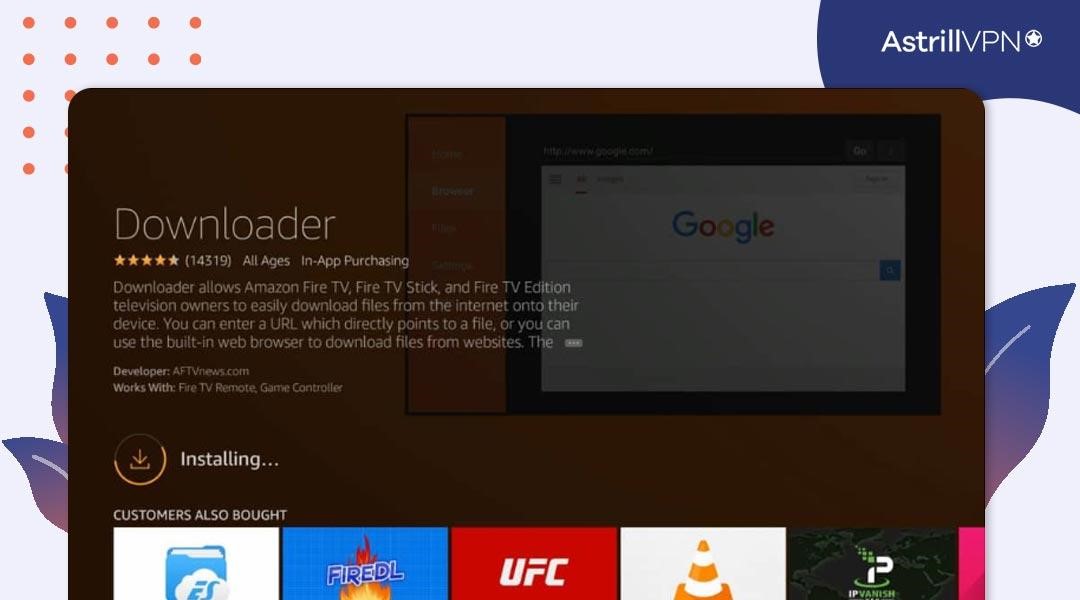
Method #1: Use the Downloader App
- Open your Firestick and go to its home screen.
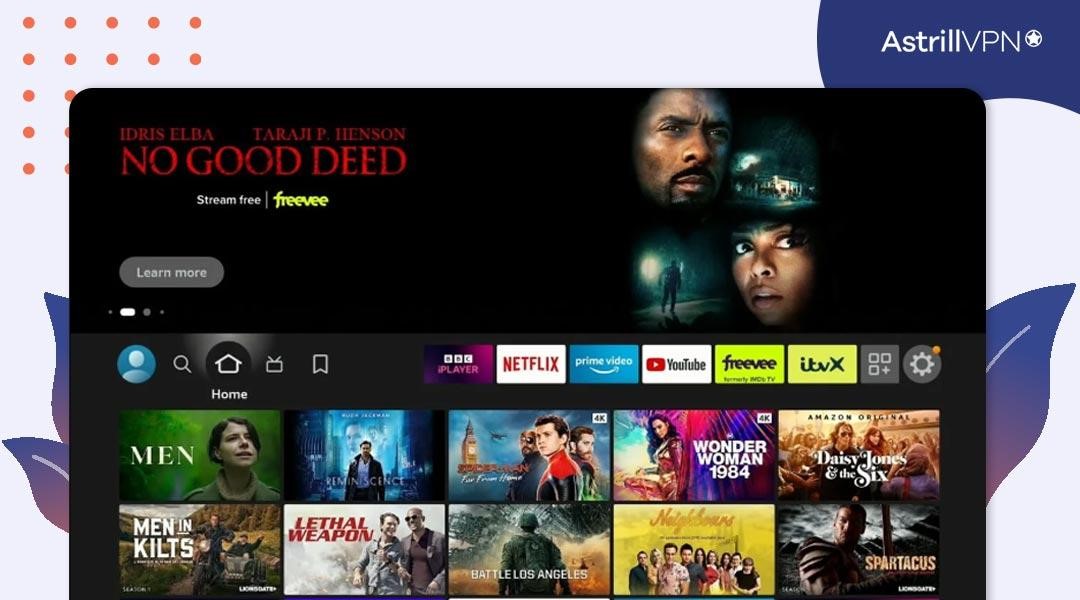
- Tap the search bar and type “Downloader.”
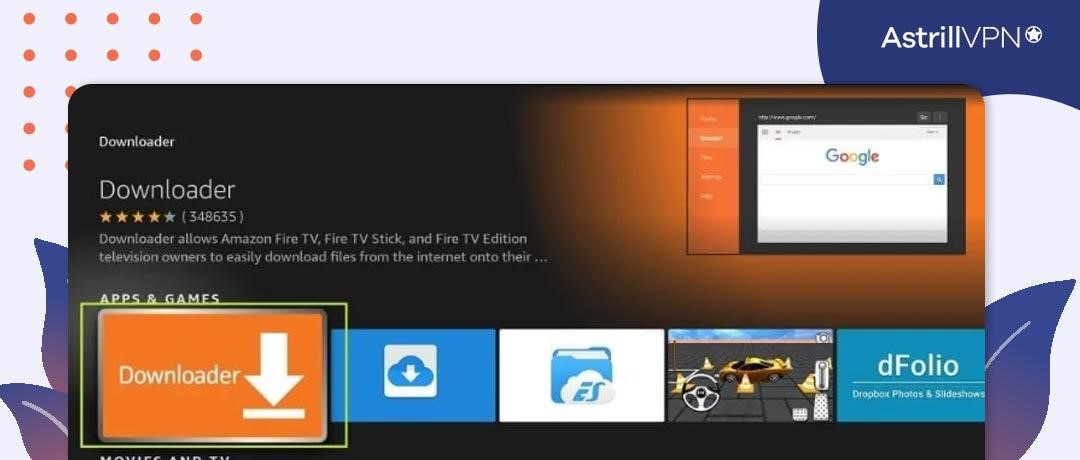
- Get the “Downloader” app and install it.
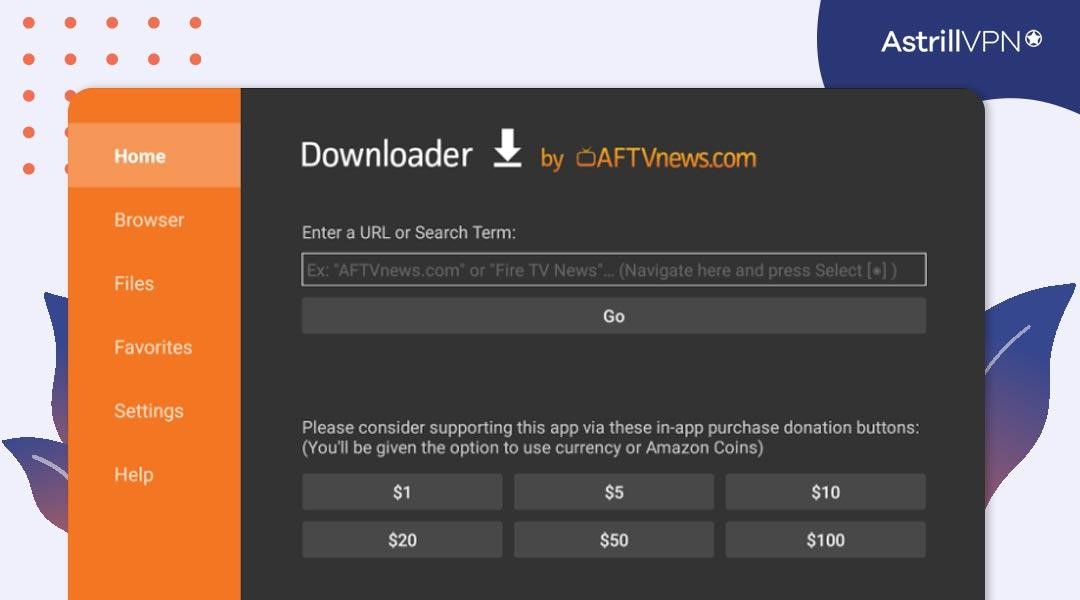
- Launch the downloader app and tap “Browser.”
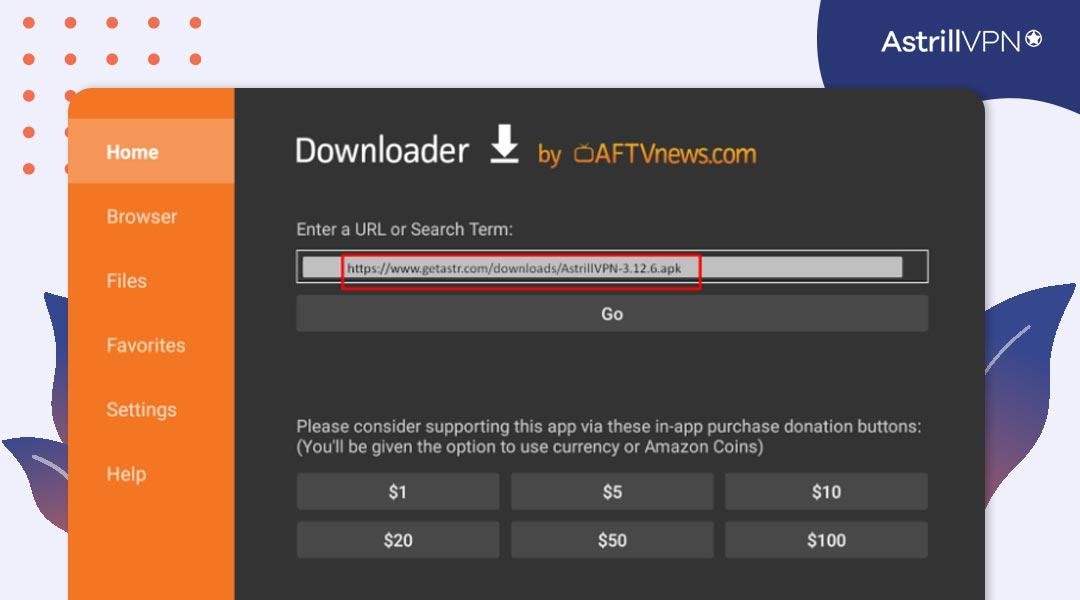
- Type this link in the address bar to download the AstrillVPN app: https://www.getastr.com/downloads/AstrillVPN-3.12.6.apk.
- Once the download is complete, go to your downloads and open the AstrillVPN .apk file.
- The AstrillVPN app will be installed, and you can use it immediately.
Can I use a Free VPN to Watch Sky Sports on Firestick?
Using a free VPN to watch Sky Sports in the USA might not be the best idea. Free VPNs have fewer servers, slow connections, and some use shady tactics. Specific free VPNs might not respect your privacy by tracking your data or bombarding you with ads.
For a safe and smooth Firestick experience, choosing a trusted paid VPN for firestick is better. AstrillVPN ensures better performance, robust security, and dependable customer support. And also, it’s better to go for a AstrillVPN with more servers for a smooth and secure Sky Sports experience.
What is Sky Sports+? (And How to Watch It on Firestick)
If you follow football below the Premier League, Sky Sports+ is worth knowing about. Launched in 2024, Sky Sports+ is a dedicated channel covering over 1,000 EFL Championship, League One, and League Two matches per season, alongside lower-league football from other competitions. It sits alongside the existing Sky Sports channels rather than replacing them.
The key thing to know is that Sky Sports+ is only available through the NOW app. It is not included in Sky Go, even if you have an active Sky TV subscription. On Firestick specifically, that means the NOW app is your only official route to watching Sky Sports+.
How to watch Sky Sports+ on Firestick
- Open the Amazon App Store on your Firestick home screen.
- Search for “NOW” and download the NOW app.
- Open the app and sign in to your NOW account, or create one.
- From the home screen, select Sports and look for the Sky Sports+ section.
- If you do not have a NOW Sports subscription, you will be prompted to add one before you can watch.
If you are outside the UK, you will see a geo-restriction error when you try to access the NOW app. You will need a VPN connected to a UK server before launching the app. AstrillVPN has servers in London, Gloucester, and Manchester, which work reliably with UK streaming services.
How to Watch Sky Go on Firestick
Sky Go is the on-demand and live streaming service included with active Sky TV subscriptions. It lets you watch Sky Sports on your laptop, phone, or tablet at no extra cost. On Firestick, however, it is a different story.
Sky Go is not available on the Amazon App Store, and it cannot be directly sideloaded onto a Fire TV Stick the same way the Sky Sports APK can. This is because Sky Go uses HDCP content protection, which blocks the app from streaming over HDMI connections. Since Firestick outputs exclusively via HDMI, Sky Go detects this and refuses to play content.
That said, you still have two workarounds that let you watch Sky Go content on your TV using a Firestick.
Option 1: Cast Sky Go from Android
The Sky Go Android app allows screen mirroring to a Firestick. Here is how to set it up:
- Enable Display Mirroring on your Firestick by going to Settings, then Display and Sound, then Enable Display Mirroring.
- On your Android phone or tablet, open the Sky Go app and sign in.
- Select the content you want to watch and begin playback.
- Open your notification panel and tap the Cast icon.
- Select your Firestick from the list of available devices.
- Sky Go will now mirror to your TV screen through the Firestick.
Note: Some Android devices block screen mirroring for DRM-protected content. If the screen goes black when you cast, your device may not support it. Try a different Android device, or use Option 2 below.
Option 2: Use AirScreen to cast from iPhone or iPad
The Sky Go iOS app does not support Android-style screen mirroring to Firestick directly. However, you can use the AirScreen app on your Firestick to enable AirPlay support, which lets an iPhone or iPad cast to it.
- Open the Amazon App Store and download AirScreen.
- Launch AirScreen on your Firestick and leave it running in the background.
- On your iPhone or iPad, open the Sky Go app and begin playback.
- Swipe down from the top right to open Control Center and tap Screen Mirroring.
- Select your Firestick from the list.
- Sky Go content will now appear on your TV.
Sky Sports Subscription Options: Which Plan Should You Get?
There are several ways to pay for Sky Sports, and the cheapest option depends on how often you plan to watch. Here is a breakdown of the main plans available in 2025:
| Option | Price | Contract | Best for |
|---|---|---|---|
| NOW Sports Day Pass | £14.99/day | None | Occasional viewers, big match days |
| NOW Sports Month (Flexible) | £34.99/month | Cancel anytime | Regular viewers who want flexibility |
| NOW Sports Month (12-month) | £27.99/month | 12-month commitment | Regular viewers wanting to save |
| Sky Sports add-on (existing Sky TV) | From £20/month | Tied to Sky TV contract | Existing Sky subscribers |
| Amazon Prime Sports Channel | Varies by channel | Monthly, cancel anytime | Prime members watching select sports |
For most people watching a handful of matches per month, the NOW Sports flexible monthly pass at £34.99 offers the best balance of cost and convenience. If you only tune in for a big match day or a specific tournament, the day pass at £14.99 keeps things cheap without a commitment.
If you already pay for Sky TV as a bundle, adding Sky Sports as a channel add-on tends to work out cheaper than a standalone NOW subscription over the course of a year. Sky TV bundles start from around £26/month and the Sports add-on brings that to roughly £46/month, which undercuts the NOW flexible pass when watched regularly.
FAQs
No, you will have to get its subscription for streaming. Its packages start from £14 and then go up subsequently with other added features.
If you’re looking for PPV, you can use the NOW TV app on Firestick by following the process explained in this guide.
Yes, you can access Sky Sports content through Amazon Prime, but it’s important to note that it’s not a direct integration. Amazon Prime Video Channels can add the “Sky Sports Pass” to your Amazon Prime subscription, allowing you to watch selected Sky Sports channels and content.
You can subscribe to Sky Sport outside the UK using a VPN. Connecting to a UK VPN server allows you to subscribe to Sky Sports easily.
You can get Premier League Football on Firestick with the Sky Sports app. Get the latest news, transfer updates, match highlights, and live matches on your Firestick device by installing the Sky Sports app.

Secure your privacy instantly. Try AstrillVPN with zero risk.
About The Author










No comments were posted yet